
VSCode ESLint plugin thinks files are not included in TS project configs #5334
Send to my agent

Describe the bug
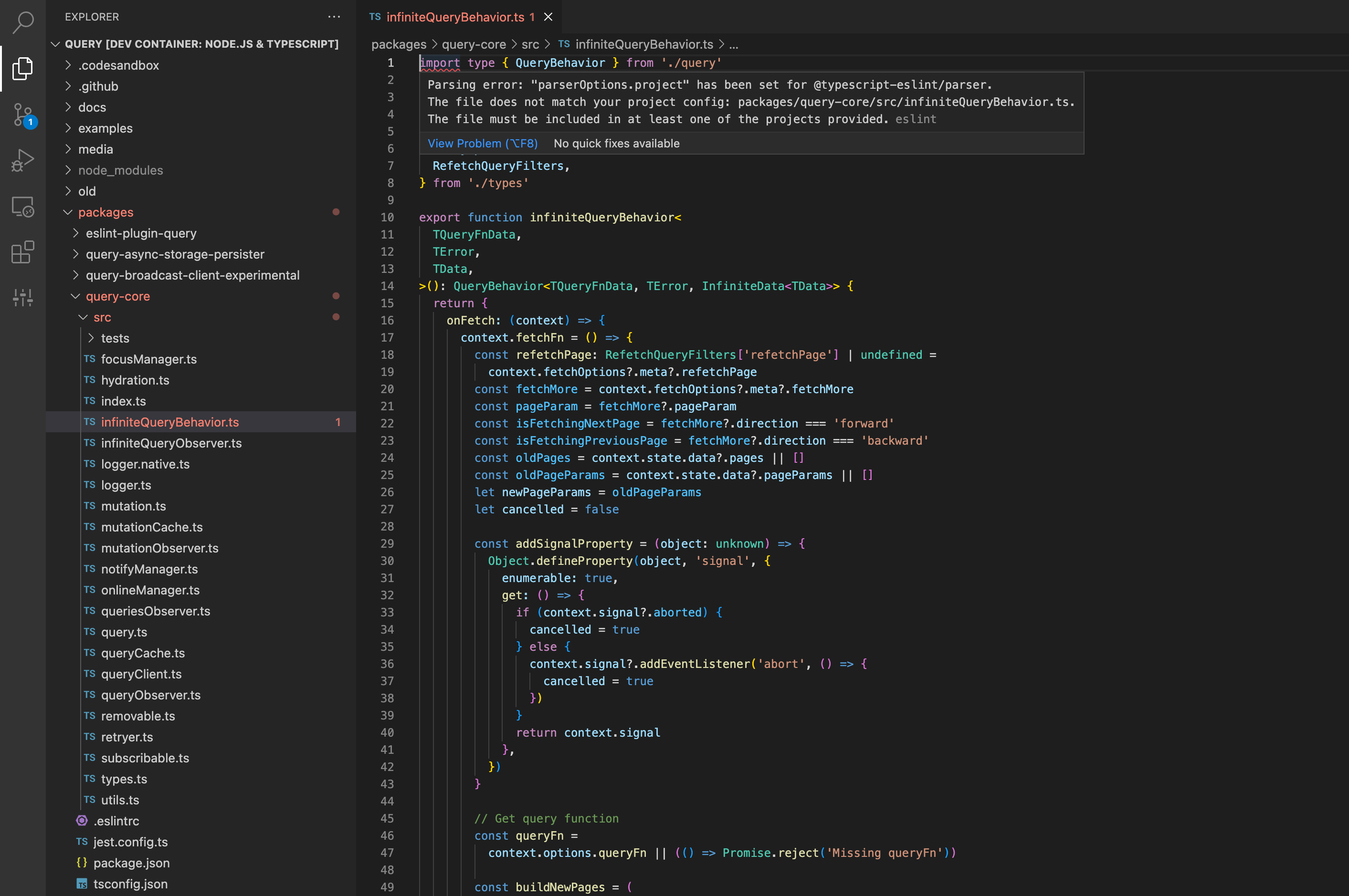
In VSCode, a red squiggly line appears in the beginning of the first line of each file and when you hover over it, it displays the following error message:
Parsing error: "parserOptions.project" has been set for @typescript-eslint/parser.
The file does not match your project config: packages/query-core/src/infiniteQueryBehavior.ts.
The file must be included in at least one of the projects provided.
What this usually means is that the file is not included in (any of) the tsconfig.json file(s) referenced by the parserOptions.project field. But everything seems to be correctly configured and pnpm test:eslint runs just fine, so it's a bit confusing to me why VSCode's ESLint plugin throws this error.
I also opened an issue at vscode-eslint (https://github.com/microsoft/vscode-eslint/issues/1645) since it could be a bug with the plugin and not necessarily something that needs to be tweaked in Tanstack Query's project configuration.
Your minimal, reproducible example
N/A
Steps to reproduce
- Use VSCode with an empty profile.
- Clone the repo into a Node.js & TypeScript Dev Container.
- Install the VSCode ESLint plugin.
- Open a terminal and run
pnpm install. - Open any TypeScript file, e.g.
packages/query-core/src/infiniteQueryBehavior.ts. - See red squiggly line in the beginning of the first line.
Expected behavior
As a developer, I expected the VSCode ESLint plugin to work with this project, but I am seeing that it doesn't.
How often does this bug happen?
Every time
Screenshots or Videos
Platform
- OS: macOS
- Browser: N/A
- Version: N/A
VSCode version information:
Version: 1.77.3
Commit: 704ed70d4fd1c6bd6342c436f1ede30d1cff4710
Date: 2023-04-12T09:19:37.325Z
Electron: 19.1.11
Chromium: 102.0.5005.196
Node.js: 16.14.2
V8: 10.2.154.26-electron.0
OS: Darwin x64 22.4.0
Sandboxed: No
VSCode ESLint plugin version: 2.4.0
Tanstack Query adapter
None
TanStack Query version
v4.28.0
TypeScript version
v4.8.3
Additional context
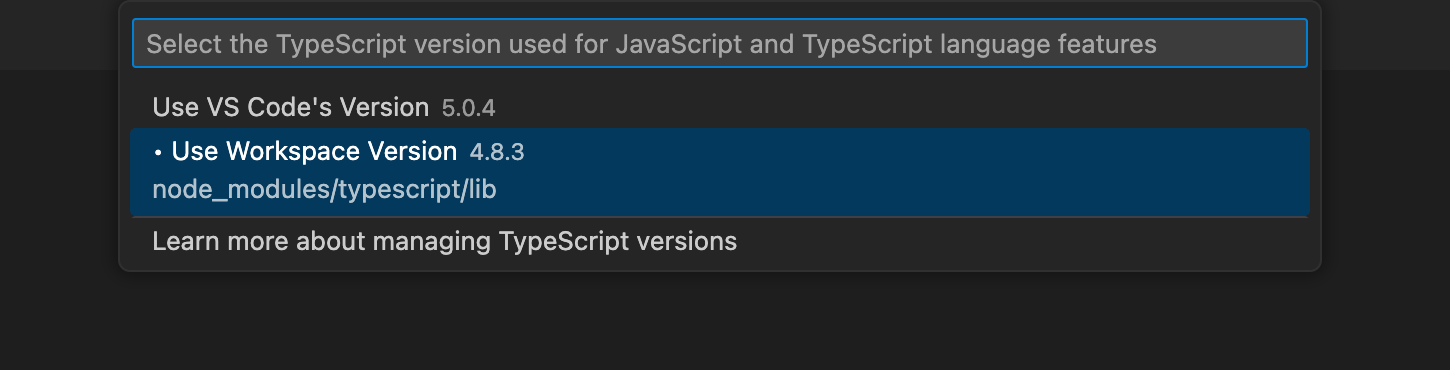
I had set the typescript.tsdk setting to 4.8.3, a.k.a. the same version of TypeScript as specified in the repo's root package.json, so it shouldn't be related to mismatching TypeScript versions or something like that.
Found a solution! Set
"eslint.workingDirectories"to[{"pattern": "./packages/*/"}]in.vscode/settings.json.- TkDodocommented
as reported, this specific issue should be fixed in v5 (beta branch).
TkDodo closed this
TkDodo added labelsv5

Sign in to join this conversation.
Same error in my VSCode too 😢