
Primary axis dates for bar charts - bars are cut off #261
Send to my agent

The "Multiple Axes" example is sufficient to describe the issue:
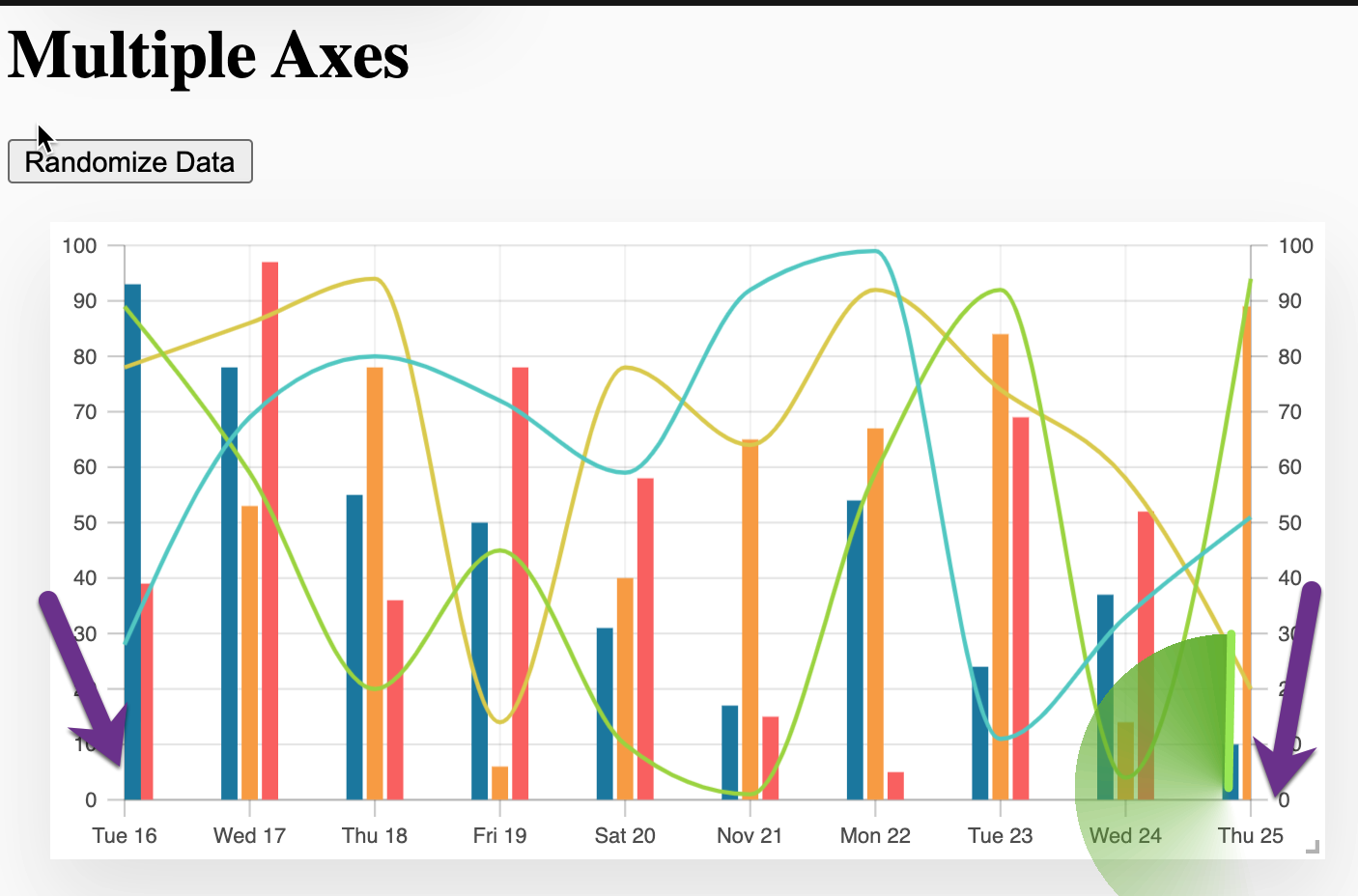
Look at Tue 16 and Thu 25 dates -- only two of the three bars are display.
I'm running into this as well. I'm on 3.0.0-beta.34
For ordinal data types its throwing error.
const { data, randomizeData } = useDemoConfig({ series: 3, dataType: "ordinal", });
Hi @tannerlinsley, I have just submitted a sponsorship. This is the issue that we are hoping to see resolved.
- tannerlinsleycommented
Well alright! I’ll dig in asap and try to find a good solution.
Tanner Linsley On Dec 15, 2021, 7:13 AM -0700, Paul Grieselhuber @.***>, wrote:
Hi @tannerlinsley, I have just submitted a sponsorship. This is the issue that we are hoping to see resolved. — You are receiving this because you were mentioned. Reply to this email directly, view it on GitHub, or unsubscribe. Triage notifications on the go with GitHub Mobile for iOS or Android.
- tannerlinsleycommented
I have a proposed fix here: https://github.com/tannerlinsley/react-charts/compare/beta...feat-padBandRange?expand=1
Let me know what you think
Hey @tannerlinsley it's not obvious how I can test this feature. I tried via npm... do you mind sharing the best way to test this? Thanks!
We are having this issue as well. Installing
react-chartsfrom the commit (9c21df7) did not seem to help our issue.
In the above image, you can see that the right-most bar is completely cut off. If another "Yes" value is added, you can see it properly but the "No" bar is still hidden.
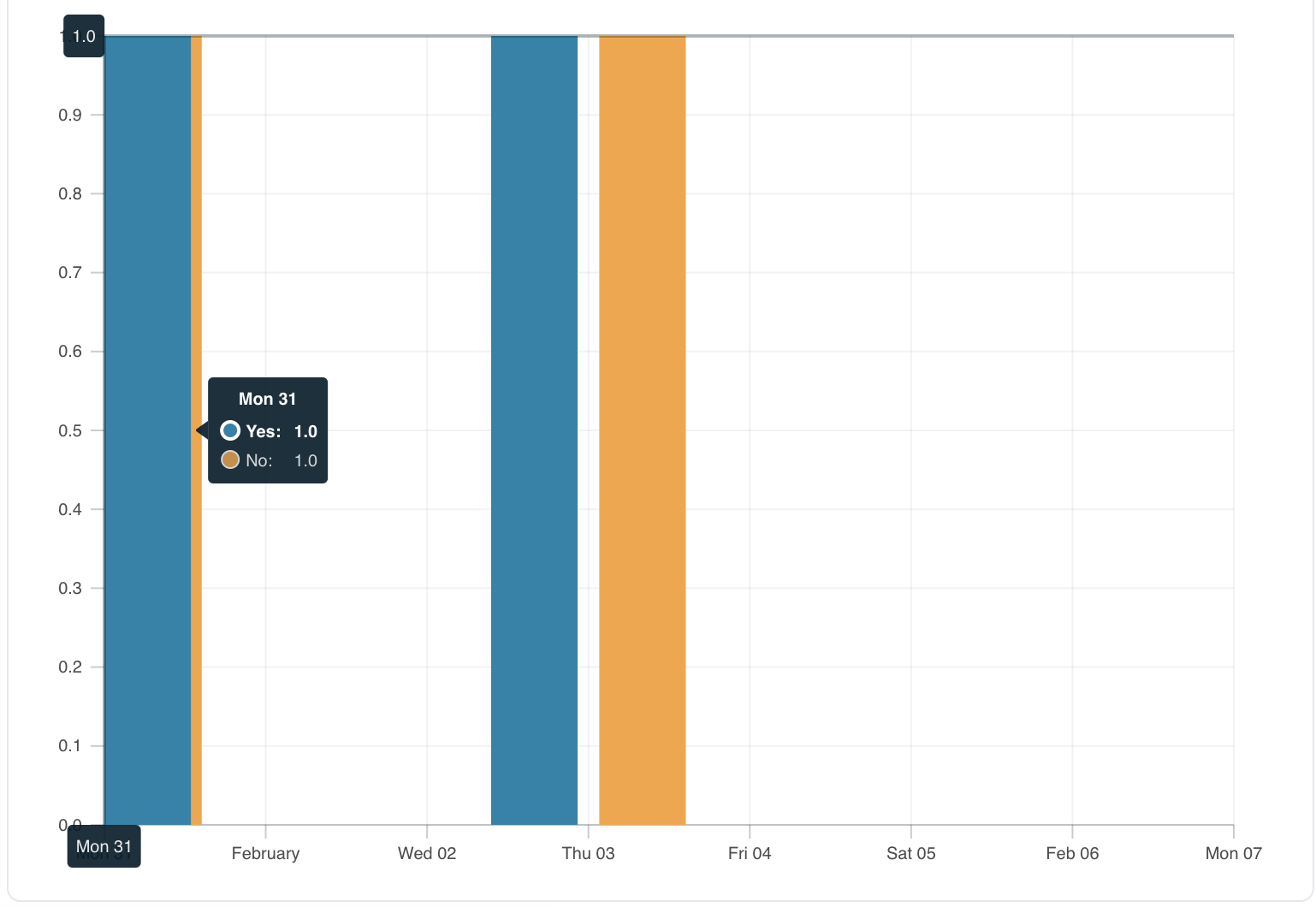
In this image, you can see that the two left-most bars are overlapping each other.
This is our primary/secondary axes definitions:
const primaryAxis = useMemo<AxisOptions<Datum>>(
  () => ({
      scaleType: "time",
      getValue: (datum) => datum.primary,
  }),
  []
);

const secondaryAxes = useMemo<AxisOptions<Datum>[]>(
  () => [
    {
      getValue: (datum) => datum.secondary,
      min: 0,
      elementType: "bar",
    },
  ],
  []
);


Sign in to join this conversation.
Can confirm, even
shouldNicedoesn't help.