Assets
Your site needs images, videos and fonts. If you commit them, every old version stays in the git history of each clone. If you bundle them, your build grows with each file.
Assets are files that your repository keeps outside git. They are never in a commit or a clone. Each file gets a URL, and your site links to that URL.
Upload your first asset
You need write access to the repository.
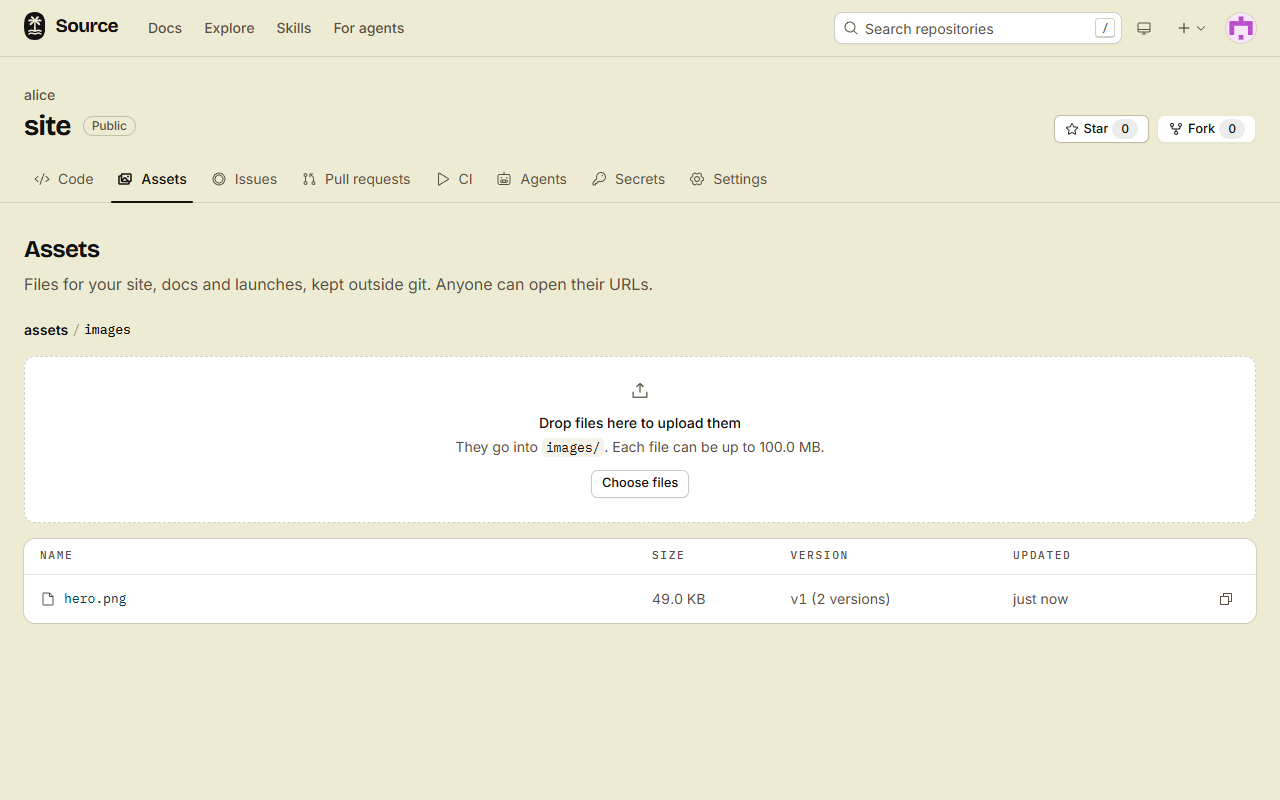
- Open the repository, then the Assets tab (
/<owner>/<repo>/assets). - Drop a file on Drop files here to upload them, or click Choose files. The file goes into the folder that is open.
- Click the name of the file. A dialog opens with the URL of the file.
- Click Copy URL.
Use the URL in your code
Put the URL where you put the path of a local file:
<img src="https://forge.example/acme/site/assets/images/hero.png" alt="The dashboard of the app" />

<video src="https://forge.example/acme/site/assets/videos/launch.mp4" controls></video>
@font-face {
font-family: 'Inter';
src: url('https://forge.example/acme/site/assets/fonts/Inter.woff2') format('woff2');
}- The URL always serves the current version of the file. Browsers cache it for 1 minute.
- Add
?v=<n>to serve one version that never changes. Versions and caching shows when to use each URL. - Video players can jump to any point, because the forge serves parts of a file on request.
- When the assets are public, other sites can load them too, fonts included. Who can see your assets says when they are public.
What you can upload
- A file is at most 100 MiB.
- The assets of one repository hold at most 10 GiB. The same bytes count once, also at two paths. Old versions count until you delete them.
- Images (SVG too), video, audio, fonts, PDF, JSON, plain text, CSV, CSS and JavaScript open with their own type. Any other file, HTML too, downloads as an attachment.
- The forge serves every asset in a sandbox, so no asset can run as a page of the forge.
- A fork starts with no assets.
By task
- Your code is private, and your site is public: Who can see your assets makes the assets public and keeps the code private. It also hides drafts.
- You replace a file, or you need a file that never changes: Versions and caching.
- You upload from a build script, the
srcCLI or a coding agent: Upload from a script or an agent.
Your file is on the forge, and your site shows it from its URL. Your git history did not change.