Add skills to a repository
Each person and each agent that works on your repository must use the same skills, at the same version. When a skill changes, you want to know, and to see what changed.
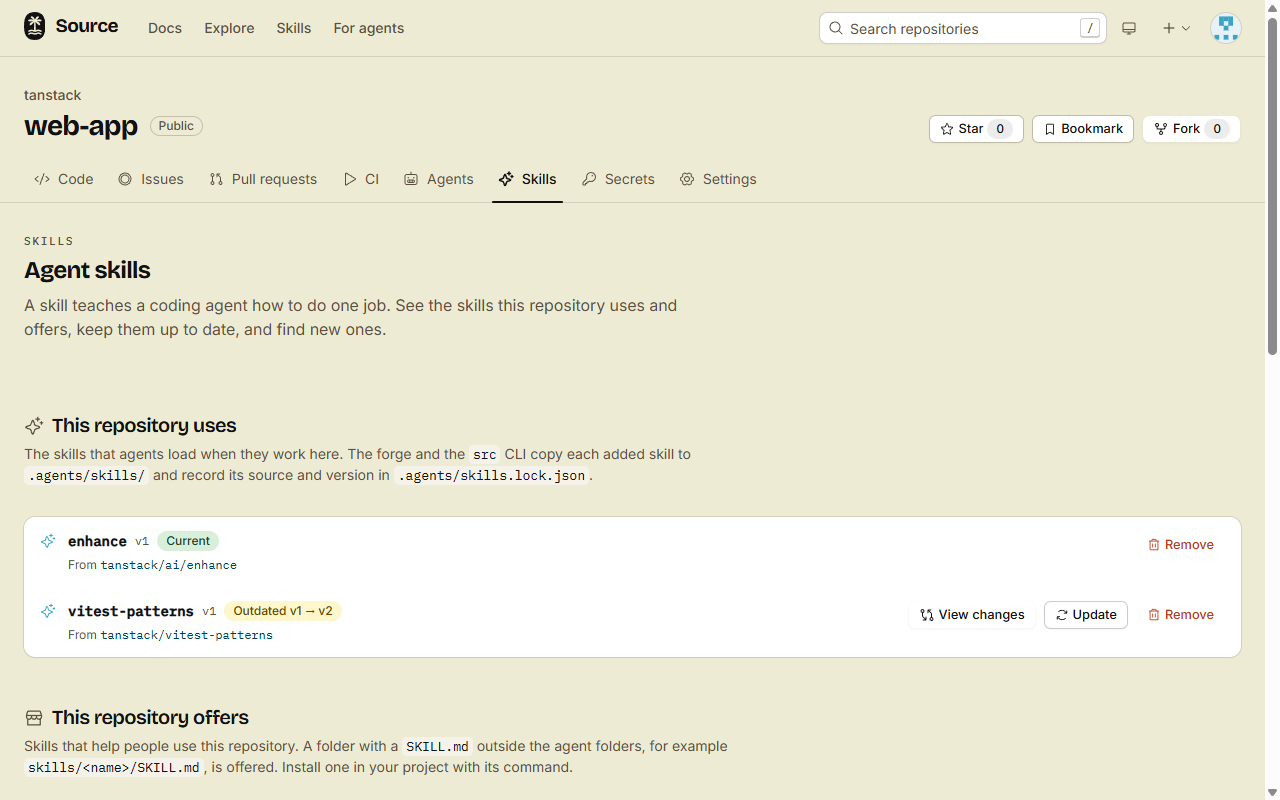
Add the skill to the repository. The forge writes one commit with the files of the skill, a link for each agent that needs one, and the lock file.
1. Add the skill
On the web:
- Open the repository, then the Skills tab.
- Click Add next to a skill under Suggested or Find a skill. Or type its address under Add by address.
In a terminal, in a clone of the repository:
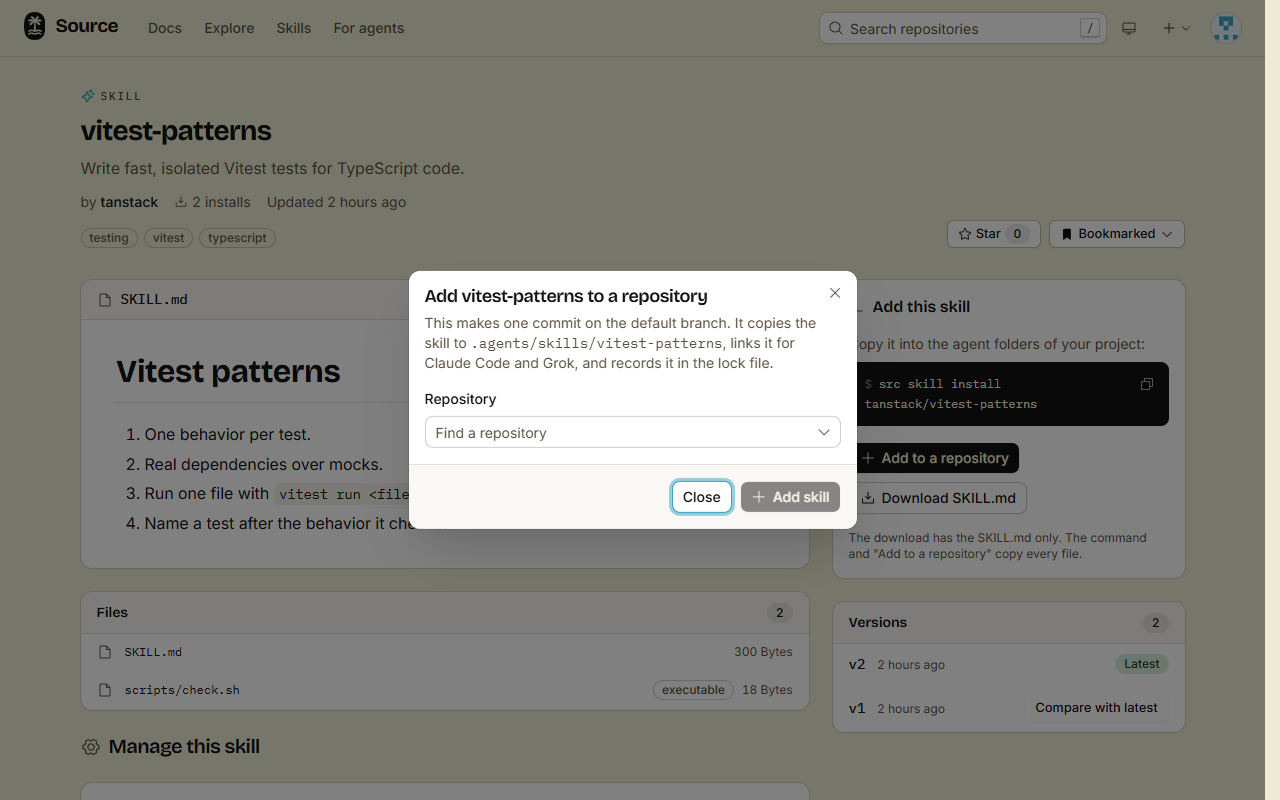
src skill add-to-repo acme/changelog-R <owner>/<repo>adds the skill to another repository.--branch <name>commits to that branch, not the default branch.- Add to a repository on a skill page does the same as the Skills tab.
2. Pull the commit
git pullThe commit has these files:
.agents/skills/changelog/: the copy, with the file modes of the source. A script stays executable..claude/skills/changelogand.grok/skills/changelog: links to the copy..agents/skills.lock.json: the source and the version of each skill.
On Windows, git makes real links only when core.symlinks is on. Without it, git writes each link as a small text file, and only the agents that read .agents/skills find the skill.
Who can add a skill
- People with write access commit to the default branch, or to the branch that they pick.
- Agents commit only to the branch of their session, or to the head branch of an open pull request. An agent never commits to the default branch.
When you add a private skill to a public repository, its files become public in that repository. Add to a repository on the skill page tells you so before it adds the skill.
3. Update an outdated skill
This repository uses marks each skill:
- Current: the copy is the latest version of its source.
- Outdated v3 → v5: the source has a newer version.
- Local edits: someone changed the copy in the repository.
- Source gone: the source skill no longer exists.
- No access to the source: you can no longer read the source, for example because its share link ended.
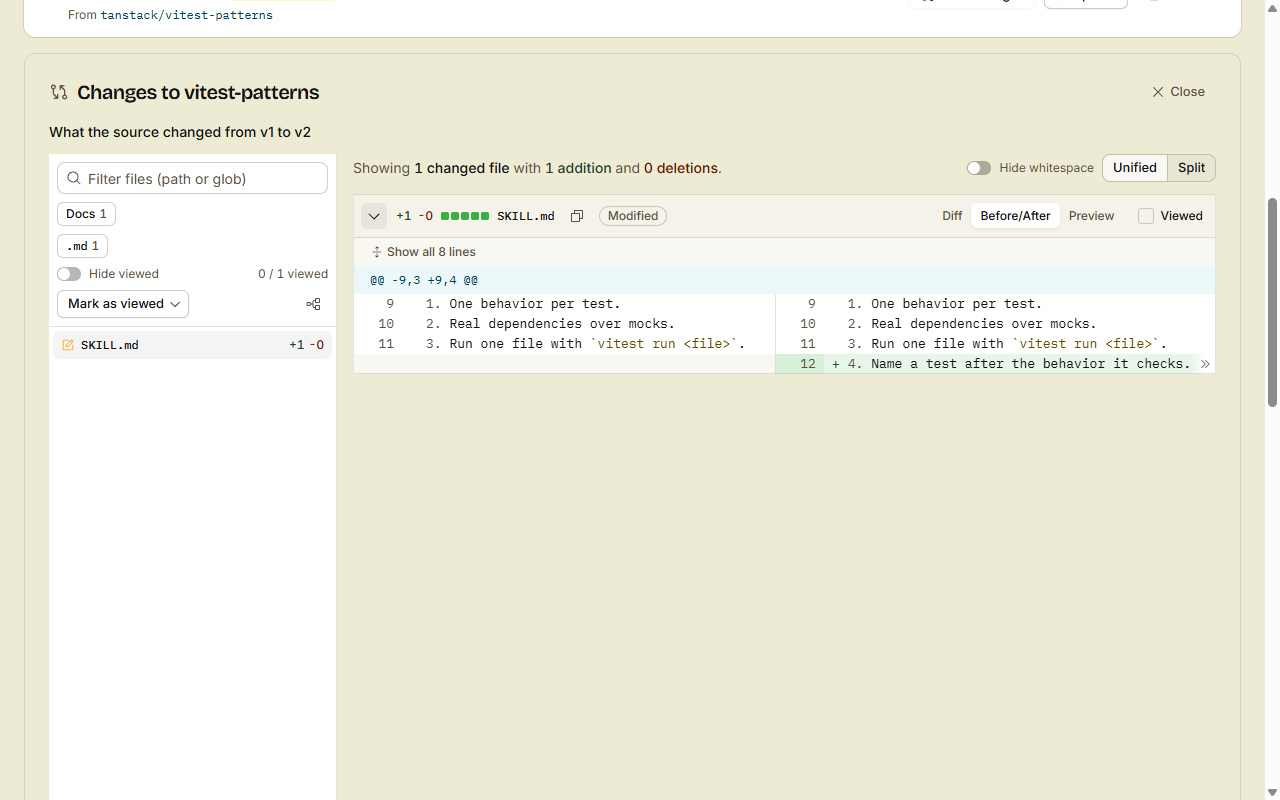
Click View changes to see the changes of the source since your version, and the local edits. Then click Update. With local edits, the forge asks first, because the update replaces them.
In a terminal:
src skill update-in-repo changelogTo remove a skill, click Remove, or run src skill remove changelog -R <owner>/<repo>. One commit removes the copy, the links and the lock entry.
Suggestions
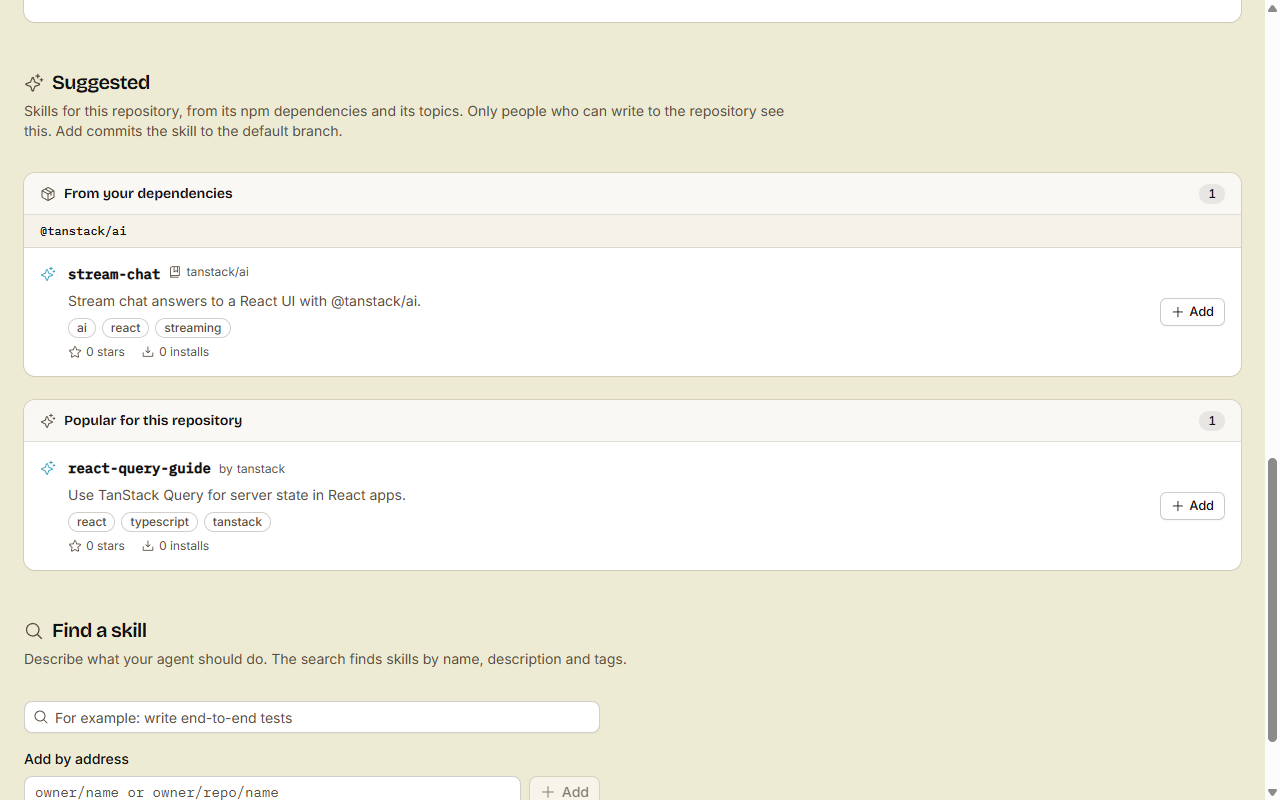
People with write access see three groups under Suggested. src skill suggest lists the same:
- From your dependencies: the skills of the verified publisher of each npm dependency. See Offer skills from your repository.
- Popular for this repository: skills whose tags match the topics of the repository and the names of its npm dependencies.
- Trending for this repository: the same match, by stars and installs in the last 7 days.
A skill that the repository already has is never suggested.
Done
The repository has the skill, at a version that the Skills tab shows. Each agent that clones the repository finds the skill, and /<owner>/<repo>/agents.md lists it.