Bring your team
Your team starts on TanStack Source, and each new person must get the right access on day one. An organization owns the repositories of the team, and its settings give each member their access.
1. Make an organization
- Click + in the header, then New organization.
- Fill in the Organization name, then click Create organization.
You are its first owner. Owners manage the organization and have admin access on each of its repositories.
If your team has a GitHub organization, import it in place of this step. If you pick the name of a GitHub organization that is not yours, its GitHub owners can import it later. That import deletes your organization and its repositories.
2. Set what each member gets
Open the General tab of the organization.
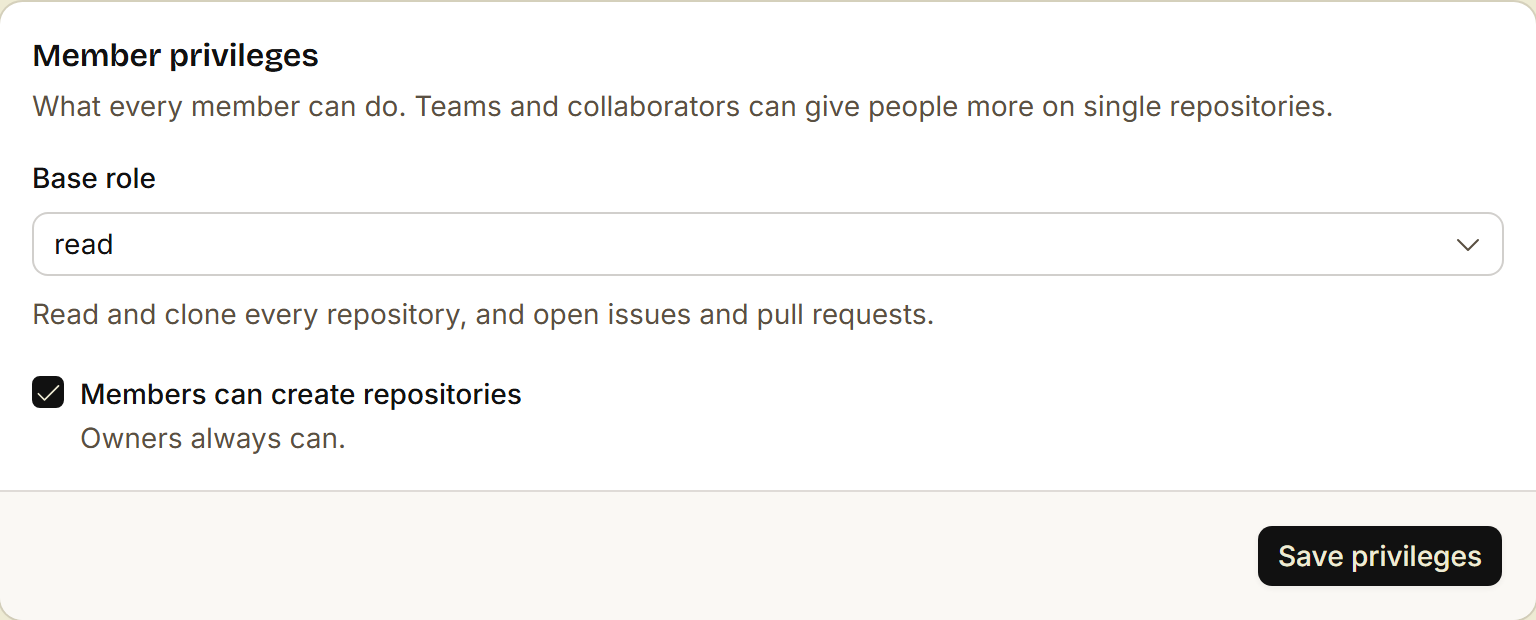
- Base role: the role that each member gets on each repository of the organization. The default is read.
- Members can create repositories: turn it off when only owners make repositories.
Then click Save privileges.
The roles, from the least access to the most:
| Role | Can |
|---|---|
| read | Read and clone, open issues and pull requests, and comment. |
| triage | Manage issues and pull requests, with no push. |
| write | Push. |
| maintain | Write, and change the description and the default branch. |
| admin | Everything, also the settings. |
3. Invite people
- Open the People tab.
- Type the username of the person, pick member or owner, and click Invite.
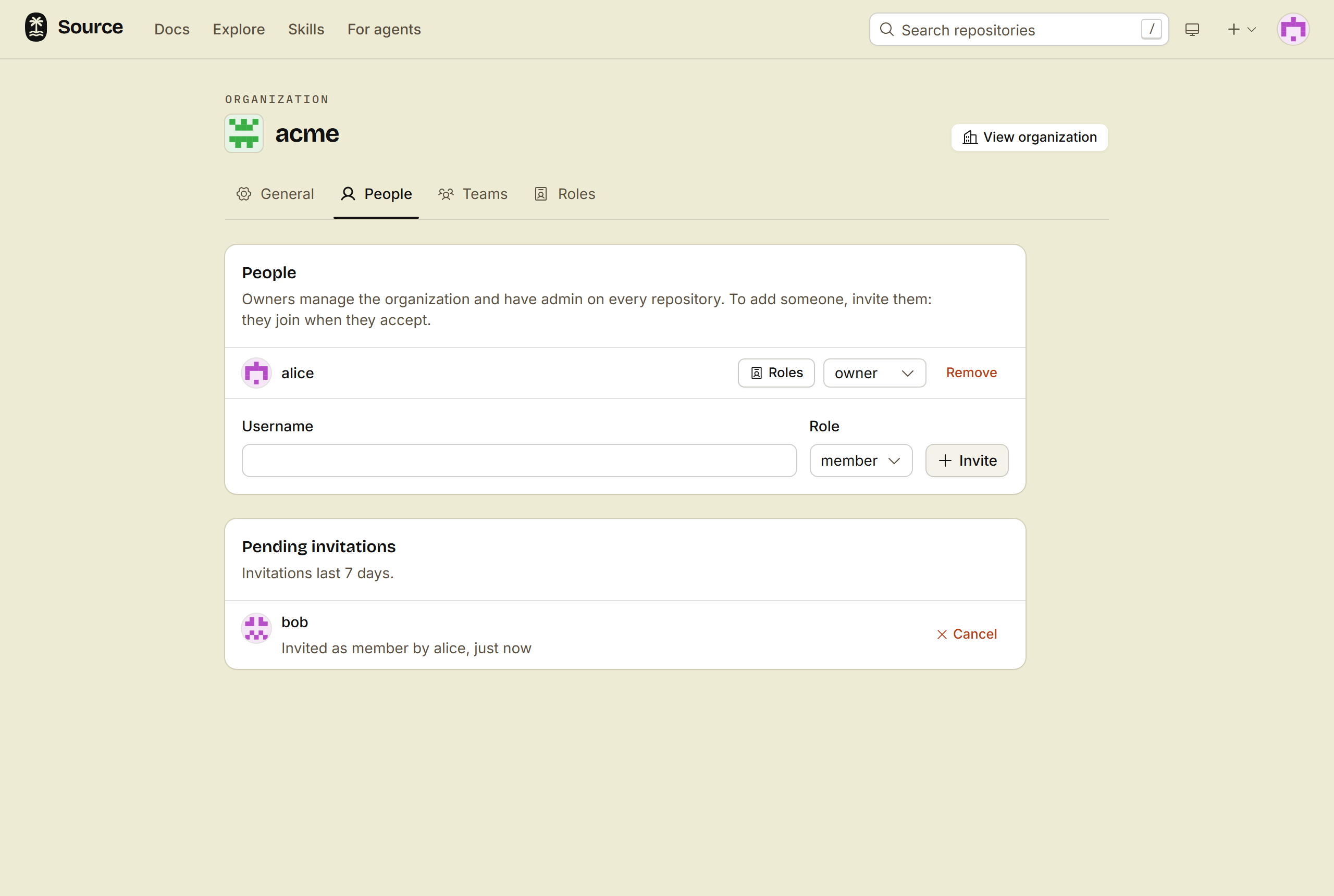
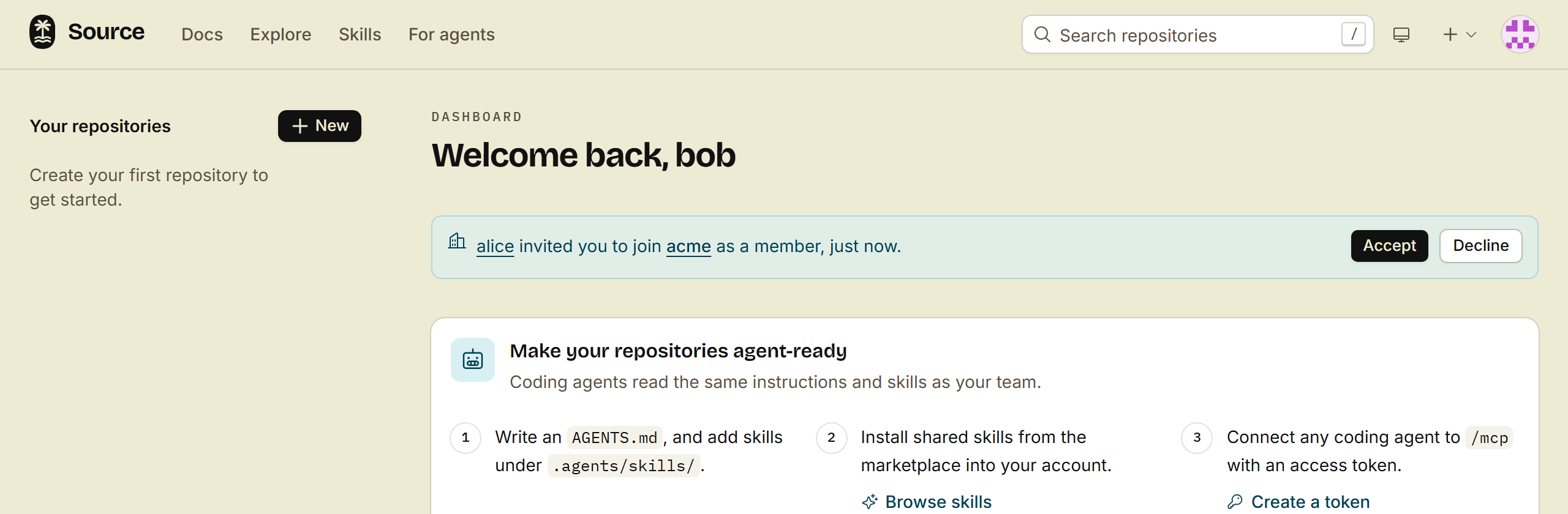
The person sees the invitation on their home page, and clicks Accept. An invitation lasts 7 days.
Send the new person this list:
- Sign up, and tell your owner the username.
- Accept the invitation on the home page.
- Install
srcand log in (steps 2 and 3). - Clone a repository of the team:
src repo clone <org>/<repo>.
4. Group people in teams
When some people need more access than the base role, put them in a team.
- Open the Teams tab. Under New team, fill in the name and click Create team. You are its first maintainer.
- Open the team, and add its members.
- In the settings of each repository, give the team a role under Teams.
A child team gets the access of its parent team. For one person from outside the organization, add them under Collaborators in the settings of the repository.
Done
New people accept one invitation and get the access of their team on each repository.
Next: Connect your coding agent. An agent gets no more access than the person who starts it.