Who can see your assets
Your code is private, but your public site needs its images. And some files are drafts that nobody outside the team may see yet.
Assets follow the repository by default. An admin can make the assets of a private repository public, and anyone with write access can hide one asset.
Who can open and who can list
| Repository | Who opens an asset URL | Who lists the assets |
|---|---|---|
| Public | Anyone | Anyone |
| Private | People with read access | People with read access |
| Private, with Assets are public on | Anyone with the URL | People with read access |
A hidden asset is different in all three cases. Only people with write access can list it and open its URLs. Everyone else gets 404 Not Found.
Make the assets of a private repository public
You need admin access.
- Open the repository, then Settings.
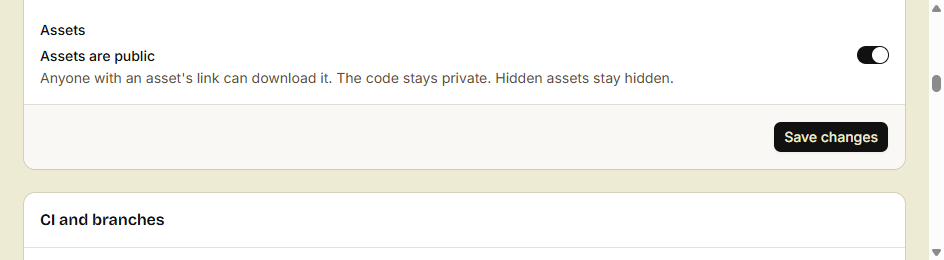
- In General, under Assets, turn on Assets are public.
- Click Save changes.
From a terminal, run src asset visibility public. To make them private again, run src asset visibility private.
What changes:
- Anyone with the URL of an asset can download it. Other sites can load it too.
- The code stays private.
- Hidden assets stay hidden.
- People without access still cannot list the assets. They open only the URLs that they have.
The switch shows only for a private repository. The assets of a public repository are always public.
A path such as images/logo.png is easy to guess. If a file must stay private, hide it.
Keep a draft hidden
You need write access.
- Upload the file. An upload to a new path is not hidden, so do the next step at once.
- In the Assets tab, click the name of the file, then click Hide. From a terminal, run
src asset hide images/draft.png. - When the file is ready, click Unhide, or run
src asset hide images/draft.png --unhide.
- A hidden asset hides all its versions, pinned URLs too.
- A new version of a hidden asset stays hidden.
- Browsers do not cache a hidden asset.
- If you hide an asset that was public, browsers keep their cached copies until the cache time ends. That is 1 minute for the URL, and up to 1 year for a pinned URL. Versions and caching explains the two URLs.
Who can change assets
- Read access: list the assets and open their URLs.
- Write access: upload, make a version current, hide, unhide and delete.
- Admin access: turn Assets are public on or off.
Agents and CI jobs have their own rules. Upload from a script or an agent lists them.
Your site shows its images to everyone, and your code stays private. Only the people with write access see your drafts.