Connect your coding agent
You want Claude Code, Codex or Cursor to work on a repository. You do not want to give it your own token, with access to everything you can touch.
An agent session gives the agent its own token for one repository. The token expires, it never has more access than you, and the forge records each action of the agent.
1. Start a session
- Open the repository, then the Agents tab.
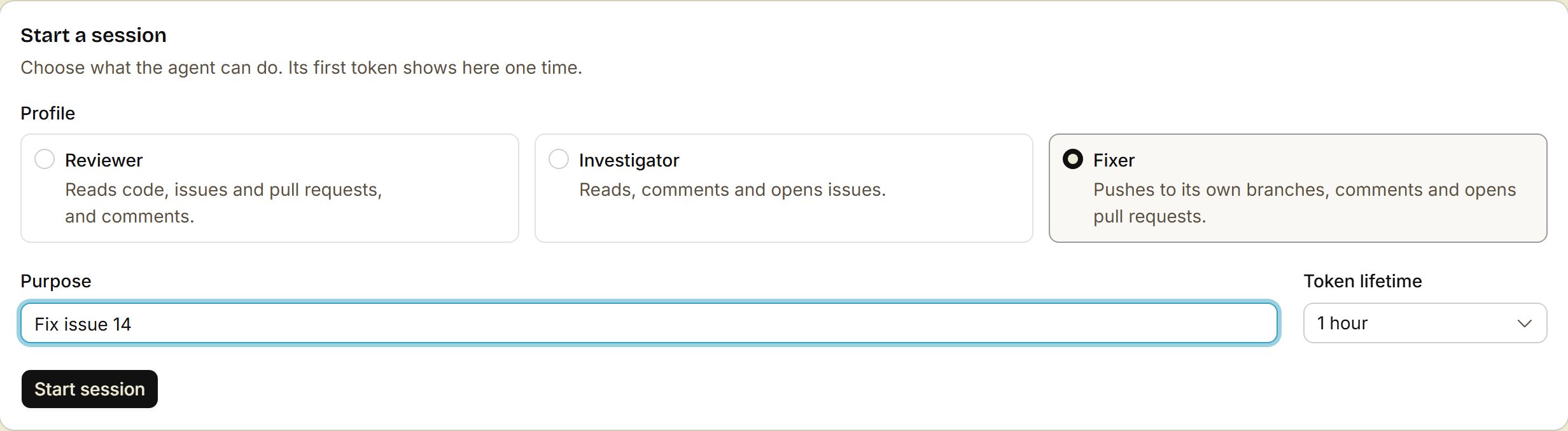
- Under Start a session, pick a profile:
- Reviewer: reads code, issues and pull requests, and comments.
- Investigator: reads, comments and opens issues.
- Fixer: pushes to its own branches, comments and opens pull requests.
- Write the Purpose, for example
Fix issue 14, and pick the Token lifetime. - Click Start session.
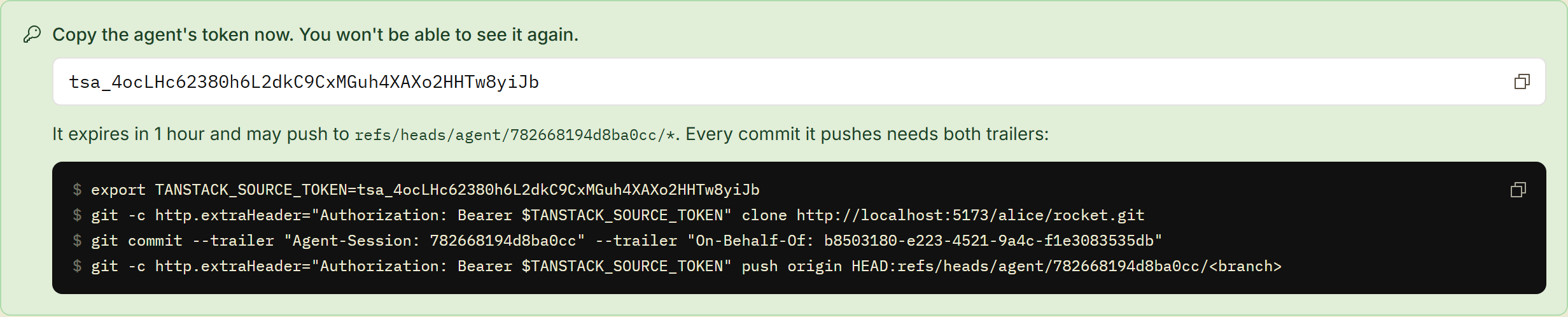
The page shows the token one time, with the commands for the agent. Copy both now.
In a terminal, src agent start --profile fixer --purpose "Fix issue 14" does the same.
2. Give the token to the agent
For Claude Code, add the MCP server of the forge with the session token. Connect over MCP has Cursor and other clients:
claude mcp add --transport http tanstack-source https://gitflare.t-zlak97.workers.dev/mcp --header "Authorization: Bearer <session token>"For git, the agent sends the token on each command. Use the commands from step 1. They clone, commit with the trailers of the session, and push to the branch of the session:
git -c http.extraHeader="Authorization: Bearer $TANSTACK_SOURCE_TOKEN" clone https://gitflare.t-zlak97.workers.dev/<owner>/<repo>.gitThe agent must send the token also on a public repository. Without it, git reads the repository as anonymous, and the reads are not in the audit of the session.
3. Give the agent the context
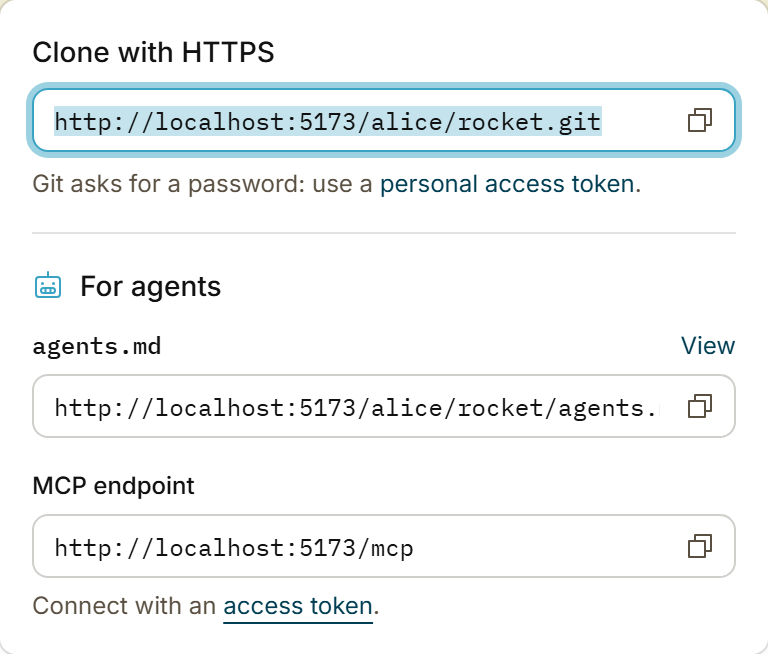
Tell the agent to read this URL before it starts:
https://gitflare.t-zlak97.workers.dev/<owner>/<repo>/agents.mdIt is one markdown file with the AGENTS.md of the repository, the instructions of its owner, and the skills in the agent folders of the repository, such as .agents/skills and .claude/skills. The Code menu of the repository shows the URL.
The skills of your profile or organization are not in it. To give the agent a skill, add it to the repository first.
What the agent can and cannot do
- It pushes only to
agent/<session>/...branches, or to the head branch of an open pull request when its token allows that. It never pushes to the default branch. - It can comment and review with the verdict "comment". It cannot approve a pull request or request changes.
- It never reads content that screening holds.
- To stop it, click Revoke on the session, or run
src agent revoke <session>. All tokens of the session stop at once, also in the middle of a push.
Done
Your agent works on one repository with its own token, and the Agents tab shows each action that it did.
A session on a monorepo
A session on a monorepo also works on each of its members. On each member, the agent has your own role there, capped by its profile. It can open one monorepo pull request for its changes in all members, and a person merges it. See Give an agent a monorepo.
Session or scoped token?
- Use a session when the agent works on its own. It pushes only to its own branches, it cannot approve, and the Agents tab shows each action.
- Use a scoped token when the agent must act as you, for example to push to your branch from your terminal. The token works on the repositories and actions that you allow, and it expires. Its actions show as yours.
To give the agent a scoped token, see Let your agent ask for a token.
Later: share the why of a change
A pull request shows what changed, but not why. src can upload the conversation with your agent (the transcript) to the pull request. The forge then writes an intent summary on the Intent tab of the pull request.
src transcripts setup --host https://gitflare.t-zlak97.workers.devThis works with Claude Code, Codex, Cursor, OpenCode and T3 Code. src removes secrets before the upload. To turn uploads off for your account, open Agent transcripts.