MCP servers
Your factory agents read your code. But your work also lives in other tools: issues in Linear, specs in Notion. You want the agents to use those tools too.
Connect a remote MCP server to a repository or to an organization. You pick the factory agents that get its tools, and which tools are on. The forge keeps the credential and calls the server for the agents.
Pick your task
- Give your factory an MCP server: connect a server with an API key, such as Linear, then pick its agents and tools.
- Connect a server that needs sign-in: connect a server where you sign in with OAuth, such as Notion.
- Publish an MCP server: list a server in the marketplace, public or private, so people connect it in one click.
- Use the servers in your local agent: put the same servers in Claude Code, Cursor or VS Code with
src mcp pull.
Find a server
The marketplace has popular servers built in, with no setup:
builtin/linear: Linear issues and projects. A Linear API key in a header, or OAuth sign-in.builtin/notion: Notion pages and databases. OAuth sign-in.builtin/figma: Figma designs. OAuth sign-in. Figma can limit which apps may sign in.builtin/sentry: Sentry issues and events. OAuth sign-in.builtin/atlassian: Jira issues and Confluence pages. OAuth sign-in.builtin/stripe: Stripe customers and payments. OAuth sign-in.builtin/github: GitHub repositories, issues and pull requests. A GitHub personal access token in a header.
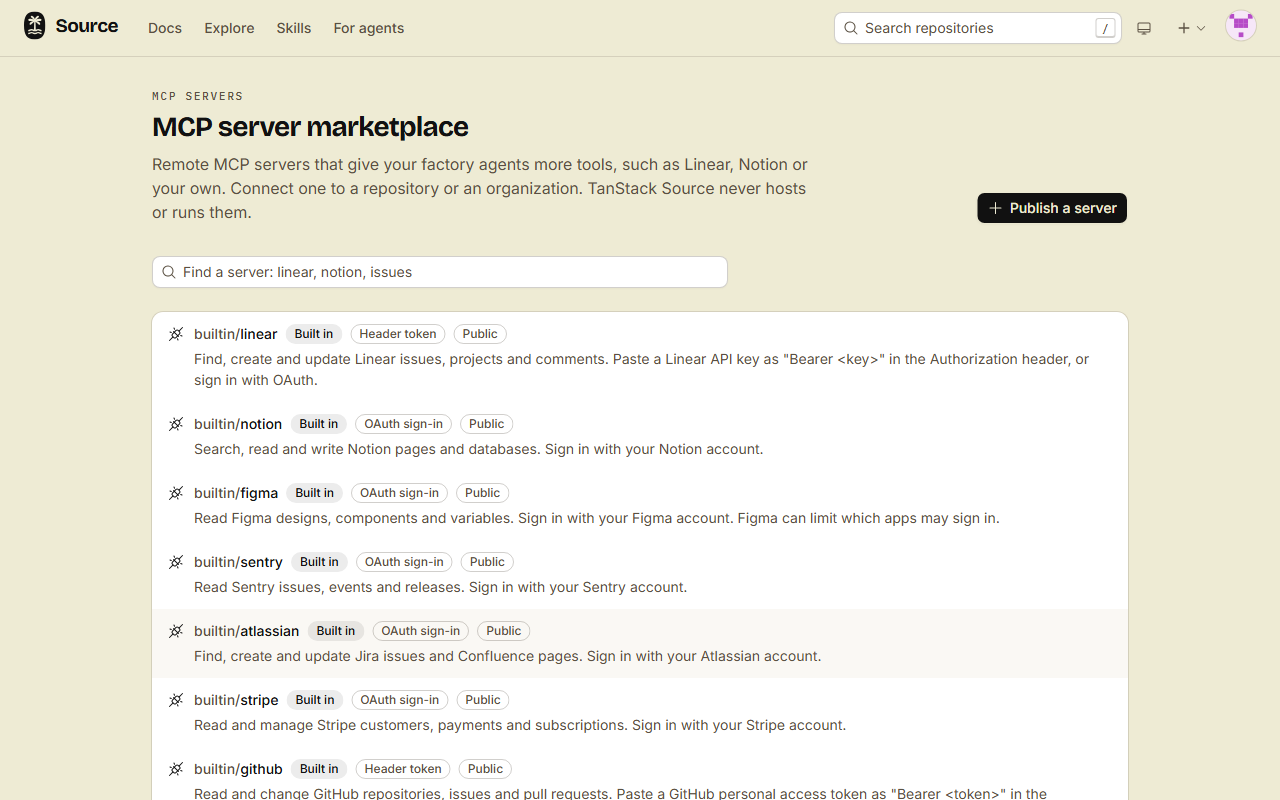
The MCP tab of a repository shows them under Popular servers. To find another server:
- Open the MCP server marketplace.
- Type a name in the search box, for example
linear. - Open a listing. It shows the server URL and how the server signs in.
A listing only points to a server. TanStack Source never hosts or runs MCP servers. If a server has no listing, connect it by its https URL.
How a connection works
- A connection is on one repository, or on an organization for all of its repositories. A repository connection with the same name takes the place of the organization connection.
- A new connection is off for every agent. You pick the agents.
- Tools that the server marks read-only start on. Tools that change data start off.
- A run for an author without write access gets only the read-only tools that are on.
- The credential stays on the forge. No answer, log or pulled config shows it, and it never enters the sandbox of a run.
Limits
- The server must be remote, on the public internet, with an https URL. A local (stdio) server, or a server on a private network or a VPN, does not work. The forge calls the server from Cloudflare.
- A connection name starts with a lowercase letter, and has at most 32 lowercase letters, digits and dashes.
- A header connection has at most 10 headers.