Agent skills
You want your coding agents to do a job the same way each time: write a changelog, test a change, or use your library well. You do not want to paste the same instructions into each agent.
A skill is a folder with a SKILL.md that teaches an agent one job. On TanStack Source, each skill has its own page, its own versions, and one command that adds it for every agent.
Find a skill now. Open the skill marketplace, or search in a terminal:
src skill search "write e2e tests"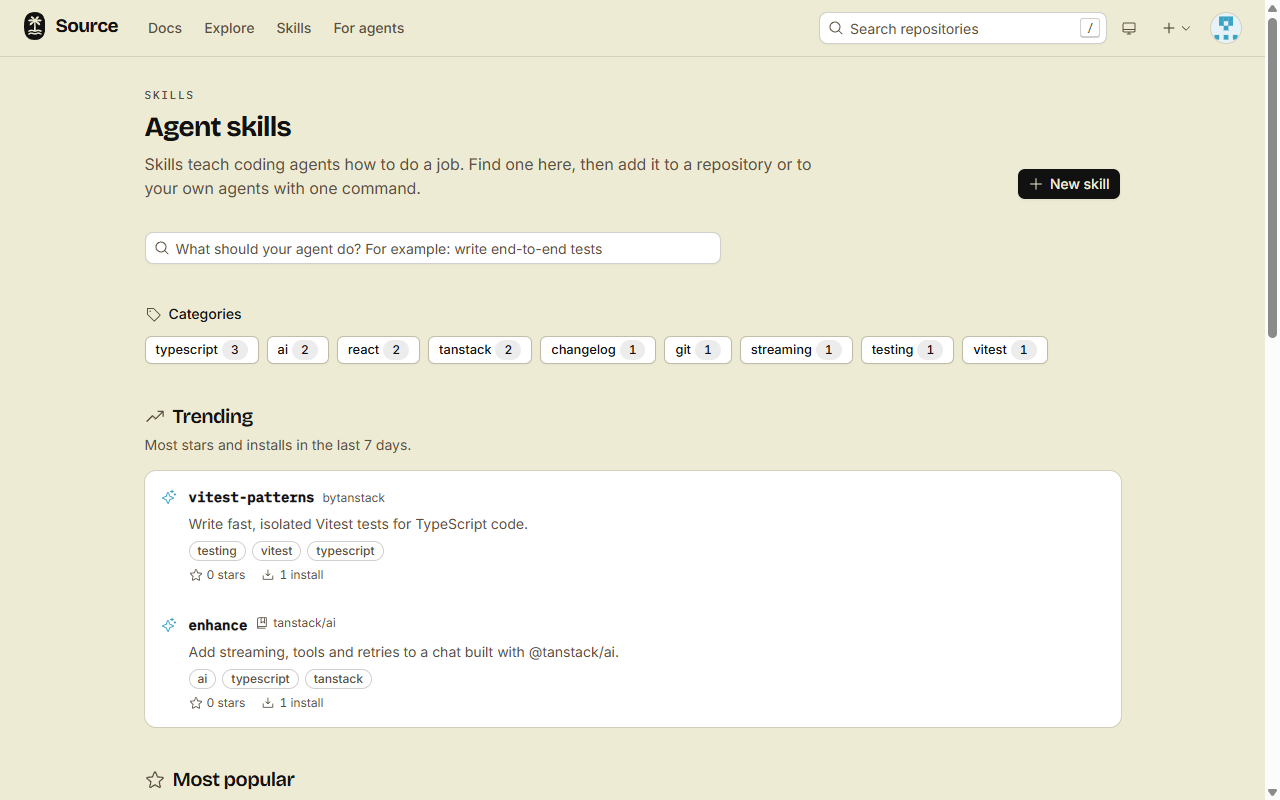
Pick your task
- Add a skill to your agents: one command copies it into the agent folders on your computer.
- Add skills to a repository: one commit gives the skill to every agent that works there.
- Write a skill: make a skill on your profile or your organization.
- Share a private skill: keep a skill private, and give a link to the people who need it.
- Offer skills from your repository: help people use your package. The forge lists the skills for you.
Skill addresses
Each src skill command, each MCP tool and the web forms take a skill address:
| Skill | Address | Page |
|---|---|---|
| A skill of a user or an organization | <owner>/<name> | /skills/<owner>/<name> |
| A skill that a repository offers | <owner>/<repo>/<name> | /skills/<owner>/<repo>/<name> |
| A skill that a repository offers, by its folder | <owner>/<repo>:<path> | The page of the same skill |
How the marketplace finds skills
The marketplace at /skills lists only public skills:
- Trending: the most stars and installs in the last 7 days.
- Most popular: the most stars and installs of all time.
- Categories: the most used tags. Pick one to show only its skills.
- Offered by repositories: the skills of each public repository, in one group per repository.
- Search: a text match on the name, the description and the tags. An AI model also picks the tags that fit your words. When the model does not answer in 2 seconds, the search uses the text match only.
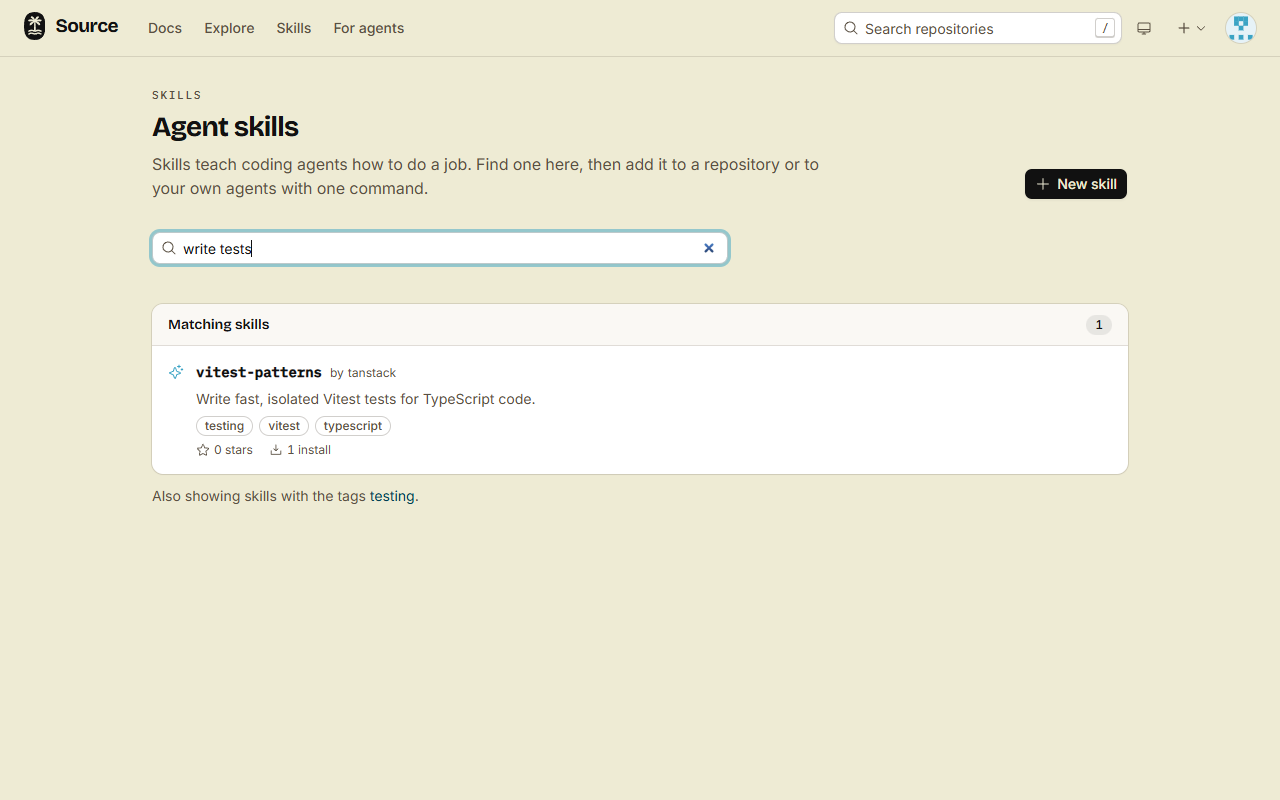
A private skill, a skill of a private repository, a skill of a fork, and a skill in an agent folder of a repository are never in the marketplace.
Stars
Click Star on a skill page to keep the skill on the Stars tab of your profile. Stars also move a skill up in Trending and Most popular. To keep skills in lists of your own, see Bookmark repositories, organizations and skills.
Done
You know where skills live and how to find one. Pick a task above. The fastest win is src skill install <address>, which puts a skill in your project in one step.