Offer skills from your repository
You maintain a library. You want the agents of the people who use it to know how to use it well, and you do not want a publish step for each change.
Put a skill folder in your repository, outside the agent folders. The forge finds it on each push to the default branch, gives it a version, and lists it.
1. Add the skill folder
Put a SKILL.md in a folder of its own, for example next to the package that it is for:
packages/ai/skills/enhance/SKILL.mdThen push it to the default branch:
git add packages/ai/skills/enhance
git commit -m "docs: add the enhance skill"
git push
2. Know which folders are offered
- Used: a skill folder in an agent folder, such as
.agents/skillsor.claude/skills. The agents of your repository use these skills. They are never offered. - Offered: a skill folder anywhere else, for example
skills/enhance/orpackages/ai/skills/enhance/.
The agent folders are .agents/skills, .claude/skills, .codex/skills, .opencode/skills, .opencode/skill, .cursor/skills, .gemini/skills, .github/skills and .grok/skills.
The forge reads only the default branch. It skips node_modules, vendor, dist, build and each folder whose name starts with a dot. It finds skill folders at most 6 folders deep, and at most 200 skills in one repository.
3. Check the result
Open the Skills tab of the repository. This repository offers shows each skill with its address, <owner>/<repo>/<name>, and its install command.
- The marketplace lists the offered skills when the repository is public and not a fork.
- Each change of a skill folder on the default branch makes a new version. Changes to other files make none.
- When two offered skills have the same name, the Skills tab marks both. The marketplace and the address
<owner>/<repo>/<name>use the first in path order. Add the other one by its folder:<owner>/<repo>:<path>.
4. Verify your GitHub repository
The Skills tab of a repository suggests the skills of its npm dependencies. A package.json can claim any package name, so only a verified publisher counts.
- Open the Settings of your repository.
- Under Verified GitHub repository, type the GitHub repository as
owner/name. - Click Verify with GitHub, then sign in to GitHub as an admin of that repository.
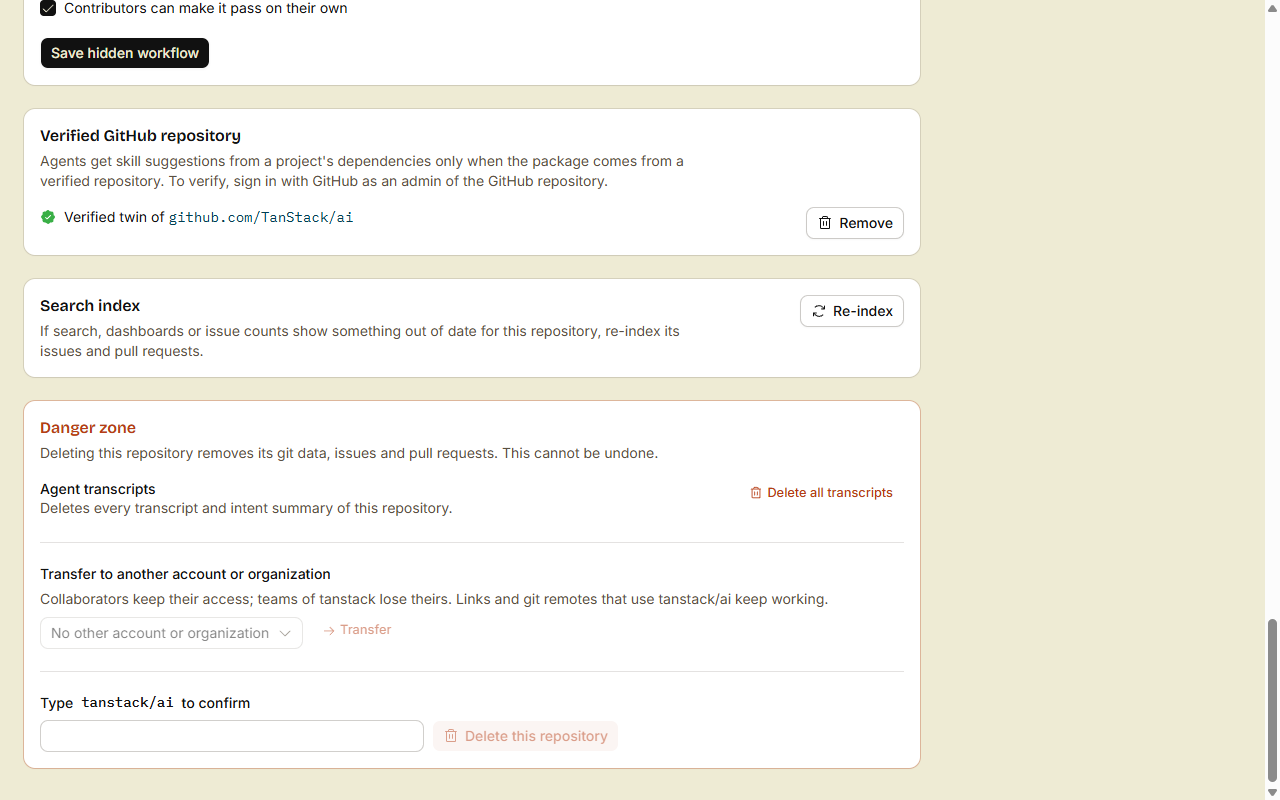
- An import from GitHub verifies the new repository when your import token has admin permission on the GitHub repository.
- A skill belongs to the package in the nearest
package.jsonat or above its folder. - The package counts only when its
repositoryfield on npm points to your verified GitHub repository.
Done
Your skill shows on the Skills tab of your repository. When the repository is public, it shows in the marketplace. When the public repository is also verified, the people who write to a repository that depends on your package see the skill under From your dependencies.