Write a skill
You have a way of working that you want your agents, or the agents of other people, to follow. You want one place to keep it, with versions and a link to share.
A profile skill belongs to your account or to an organization that you own. It has its own page at /skills/<owner>/<name> and its own git repository. Each change makes a new version.
1. Write the SKILL.md
---
name: changelog
description: Writes the changelog entry for a change.
tags: [changelog, release]
---

Read the commits since the last tag. Write one line for each change that a user can see.name:is the name in the URL: lowercase letters, numbers and hyphens, at most 64 characters.description:shows in lists and search results.tags:puts the skill in categories of the marketplace. At most 10 tags, each 1 to 35 lowercase letters, numbers and hyphens.
2. Create the skill
On the web:
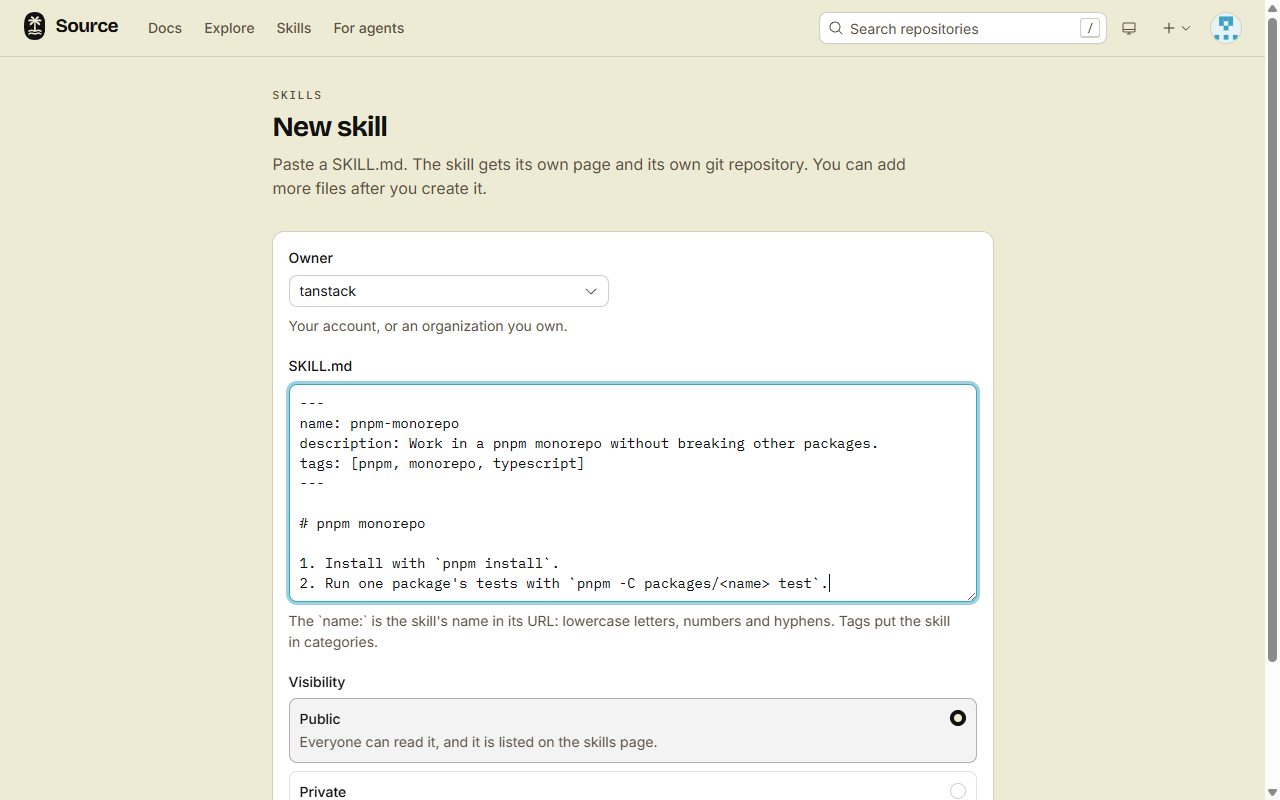
- Open New skill.
- Pick the Owner: your account, or an organization that you own.
- Paste your
SKILL.md. - Pick Public or Private, then click Create skill.
In a terminal, from the folder above your skill folder:
src skill create ./changelogsrc skill create sends each file of the folder, and makes a public skill on your own account.
3. Change the skill
Pick one way:
- Web: on the skill page, under Manage this skill, click Edit files. Each save is one commit.
- src: run
src skill publish ./changelog. It sends only the files that changed. Add--dry-runto list them first. - git: clone the skill, then commit and push to
mainas in a repository. Git takes a token, as for repositories.
git clone https://gitflare.t-zlak97.workers.dev/skills/<owner>/changelog.gitEach change of the files makes a new version: v1, v2, v3. You do not set version numbers. src skill versions <owner>/changelog lists them.
Rename or delete
- Rename: use Rename on the skill page, or run
src skill rename <owner>/changelog release-notes. A newname:inSKILL.mdalso renames the skill, when the new name is free. Stars, installs and versions stay. Old links and clone URLs go to the new name. - Delete: click Delete skill on the skill page, or run
src skill delete <owner>/changelog --yes. You cannot undo it. Copies in repositories stay, and show that the source is gone.
Done
Your skill has its own page at /skills/<owner>/changelog, with its install command. A public skill also shows in the marketplace. To keep it private and share it with a link, see Share a private skill.