Filter the files of a repository
A big repository has many files in each folder. You want to see only the .ts files, or hide the dot folders like .github and .vscode, so that you find the code faster.
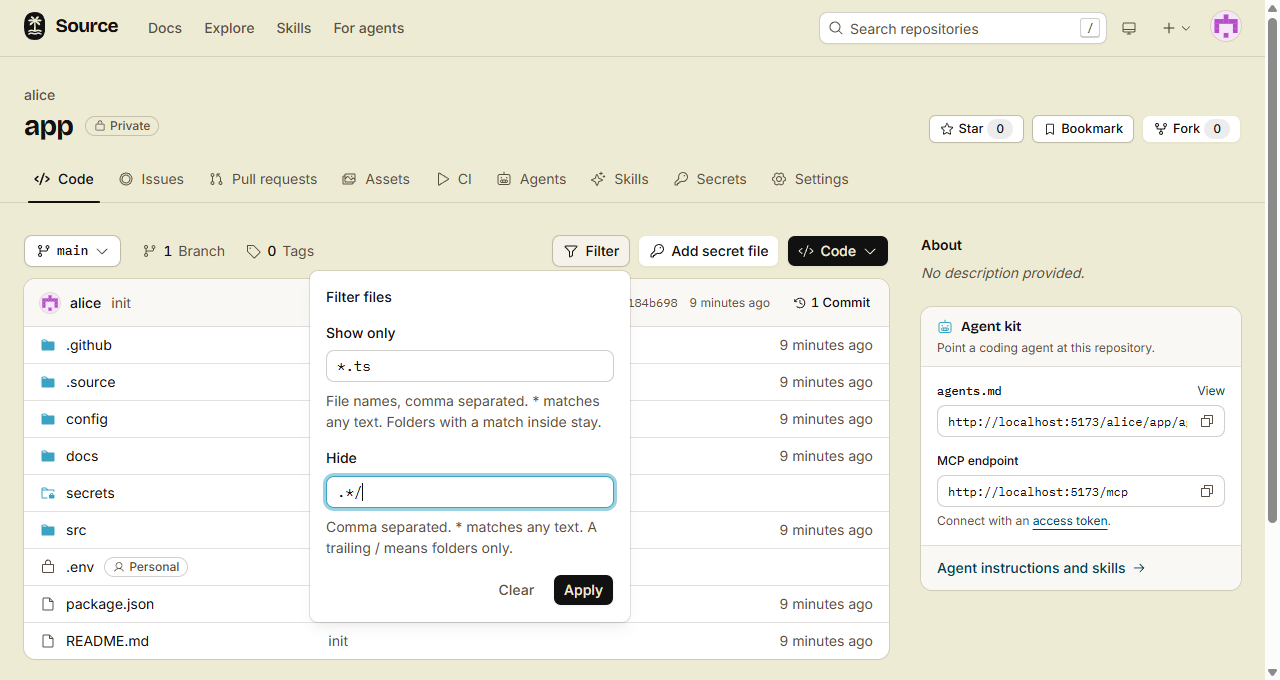
The Filter button of the file list shows only the names that you want, and hides the others.
1. Open the filter
Open a repository, or a folder in it. Above the file list, click Filter.
2. Type your patterns
- Show only: the file names to show, for example
*.ts. A folder stays when a file below it matches. - Hide: the file and folder names to hide, for example
.*/, node_modules/.
Separate the patterns with commas. Then click Apply.
3. Write a pattern
| Pattern | What it matches |
|---|---|
*.ts | Names that end in .ts |
.env | Names that contain .env, like .env and .env.local |
.*/ | Folders with a name that starts with a dot (in Hide) |
node_modules/ | Folders with a name that contains node_modules (in Hide) |
- Text without
*matches each name that contains it. Uppercase and lowercase are the same. - Text with
*must match the full name.*matches any text, and uppercase and lowercase are different. - A
/at the end of a Hide pattern matches folders only. - A pattern matches a name, never a path. So
src/*.tsmatches nothing.
With Show only, a folder stays only when a file below it matches and is not hidden. In a repository with 10,000 files or more, every folder stays.
4. Keep or clear the filter
- The filter is in the URL. When you send the link, the other person sees the same list.
- The filter stays when you open a folder, or when you change the branch.
- This browser remembers the last filter of each repository. When the URL has no filter, that filter comes back.
- To remove the filter, click Filter, then Clear.
Done
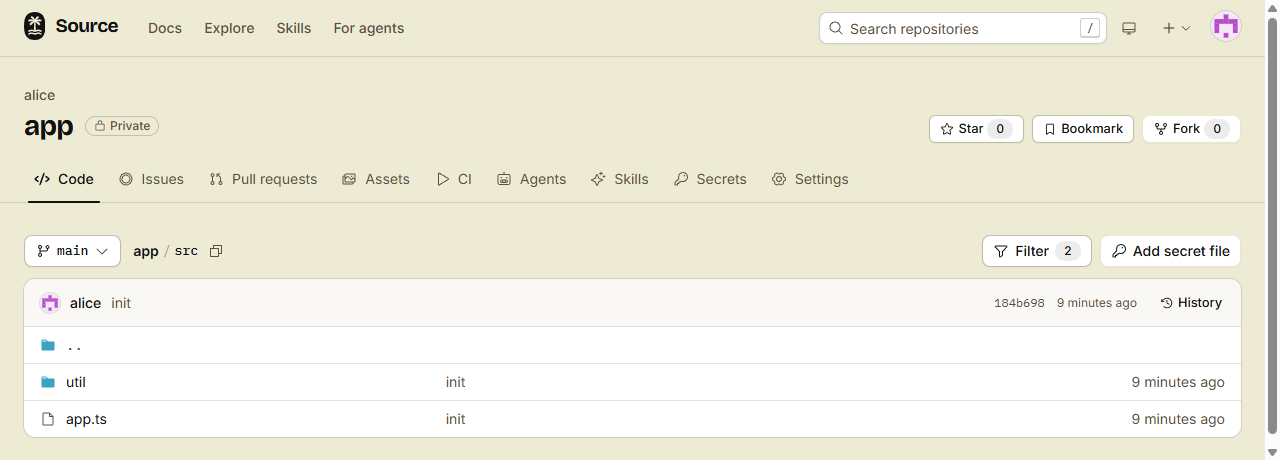
The file list shows only the files that you want. The Filter button shows how many patterns are on.
Vault files in the list follow the same filter (see Keep private files out of git).