Software factory
A pull request from a stranger arrives. Before you read the diff, you want to know four things: is it safe, is it useful, does it fix its issue, and does it conflict?
The software factory answers these questions for you. It is a set of AI agents that run on the forge, not in CI. They audit, check, review and fix pull requests, fix failing CI, triage issues, close spam, and draw the architecture of the repository. The Factory panel on each pull request and issue shows their answers.
Three agents are on by default: the Security audit, Architecture and PR impact. Every other agent is off until an admin turns it on. Each agent uses Workers AI by default, which the forge pays for. Nothing merges by itself.
1. Turn on the agents
- Open the repository, then Agents.
- Under Software factory, click Open factory settings (
/<owner>/<repo>/agents/factory). - Find the Security audit. It is on by default, and the other pull request steps wait for its verdict.
- Find each other agent that you want, for example Value check and Review.
- Select Use this agent, then click Save with the name of the agent, for example Save Review.
You need admin access to the repository to see this page.
An organization owner can turn agents on for every repository of the organization, on the organization's Software factory tab. A repository then shows Inherited from and the name of the organization:
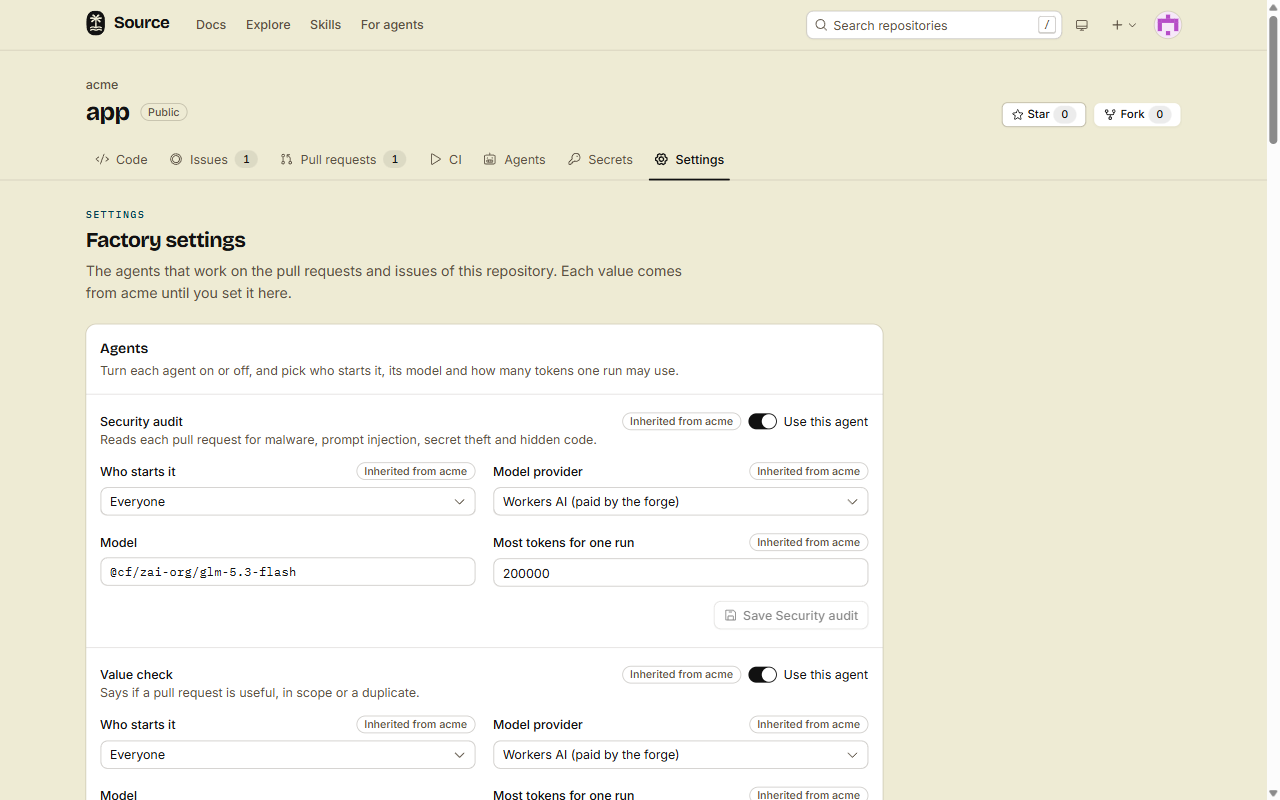
Models, keys and triggers tells you what each field does, and how to change the settings with the CLI, REST or MCP.
2. Open a pull request
Open a pull request, or push to one. The factory starts when a person opens an item, pushes to a pull request, or adds a label.
The factory starts only on items that people can see. If screening holds a pull request, the factory waits until a maintainer shows it.
3. Read the Factory panel
The panel is in the right sidebar of the pull request. It has one row for each question:
| Row | The agent that answers |
|---|---|
| Safe | The security audit |
| Useful | The value check |
| Fixes the issue | The fixes-the-issue check, when the pull request says fixes #N |
| Conflicts | The forge's merge check, and the conflict fixer |
Click a row to read the reason. Below the rows, Runs lists each agent run, newest first, with its tokens and its cost.
If you have write access, each run has a Log link. The log shows the model's reasoning, what it wrote, each tool that it called, and each result. While the run goes, the log page follows it live, as the CI log does.
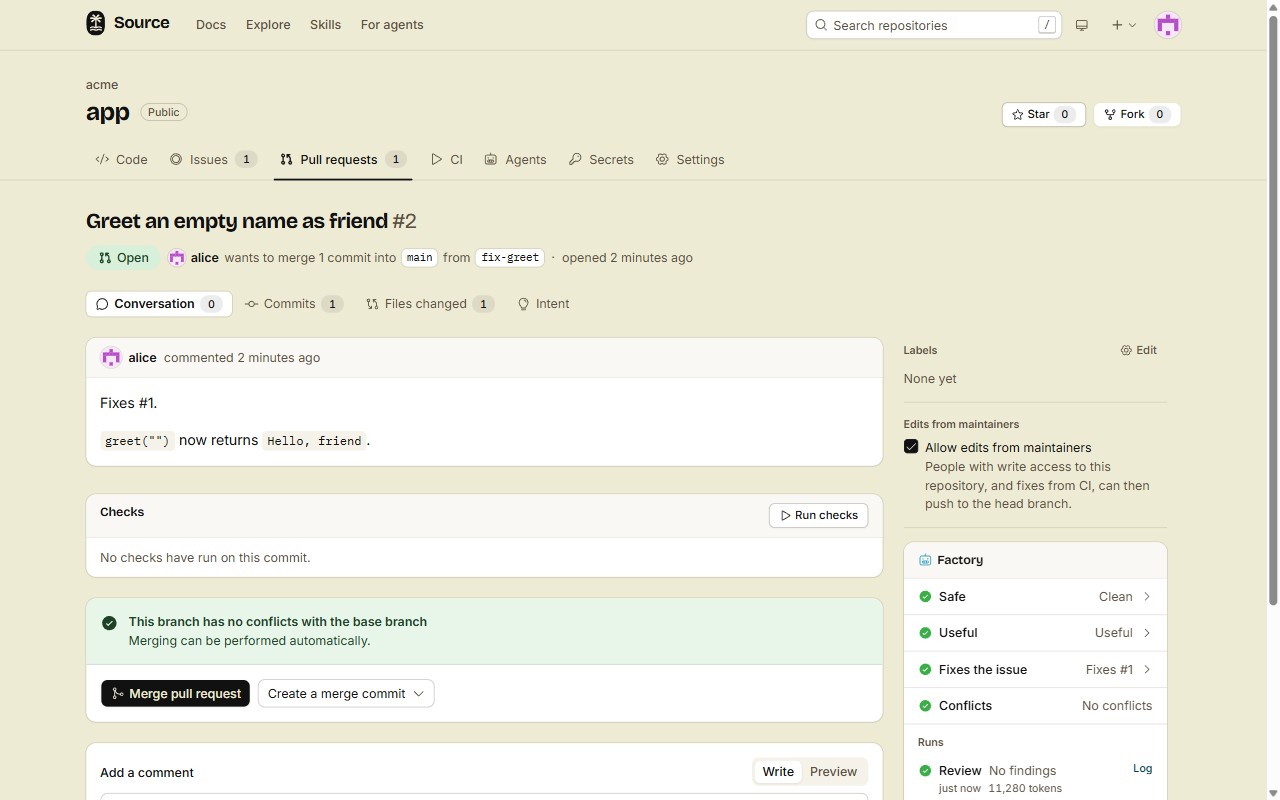
Done
Each new pull request gets the agents that you turned on, for example an audit, a value check and a review. The Factory panel shows the answers before you open the diff.
Watch the factory work
You want to see what the agents do right now, on every pull request, issue and the default branch, not one item at a time. You need write access.
- Open the repository, then Agents.
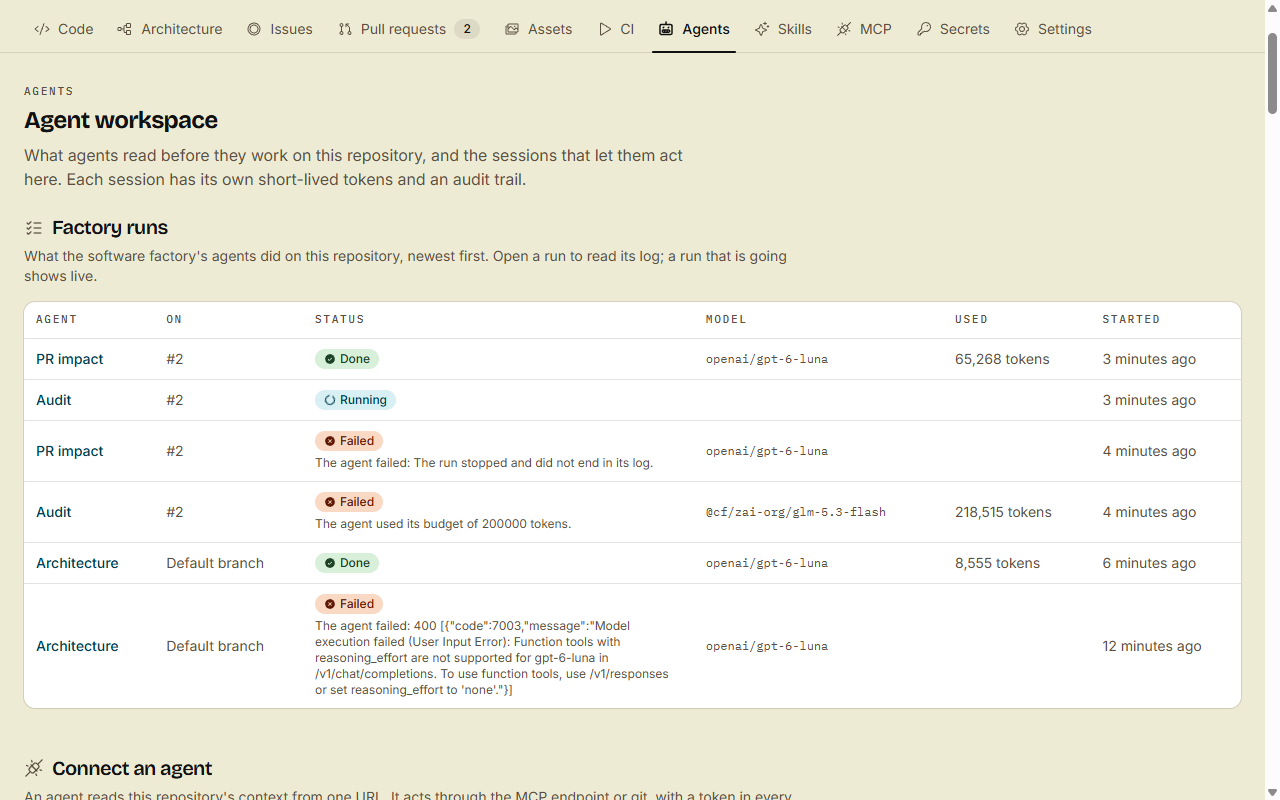
- Find Factory runs. It lists the newest 50 runs, newest first: the agent, what it ran on (
#12, or Default branch), its status, the model, the tokens and when it started. - Read the status. A run that failed or was skipped says why under its status, for example The agent used its budget of 200000 tokens. or Workers AI monthly cap reached.
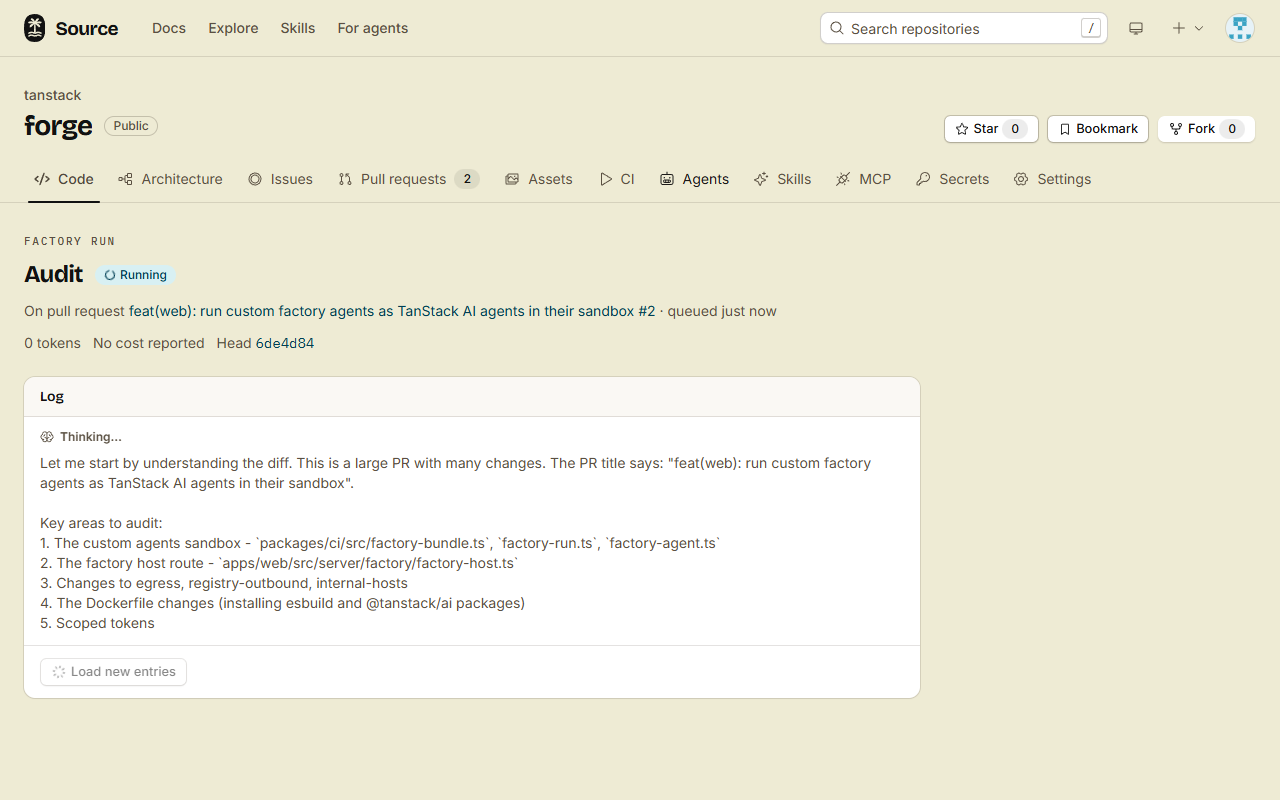
- Click the name of an agent to open its run. A run that is going shows its log live: the model's reasoning and text as it writes them, and each tool call and result.
While a run goes, its page shows the model's reasoning as it writes:
The list updates every few seconds while a run is queued or going. Your agent can read the same list: src factory runs with no number, the MCP tool list_factory_runs with no number, or GET /api/v1/repos/{owner}/{repo}/factory/runs.
What each agent does
The Security audit, Architecture and PR impact are on by default. Every other agent is off by default. When an agent is on, the table says who starts it. Change that with Who starts it in the settings.
On a pull request:
| Agent | What it does | Who starts it |
|---|---|---|
| Security audit | Looks for malware, prompt injection, secret theft and hidden code | Everyone |
| PR impact | Shows in the Impact tab if the pull request changes the architecture or the public API. See Read the Impact tab | Everyone |
| Value check | Says if the change is useful, in scope or a duplicate | Everyone |
| Fixes-the-issue check | Runs a repro of the linked issue on the base and on the head | Everyone |
| Review | Posts a review with line comments | Everyone |
| Fixer | Pushes fixes for the review findings | Everyone, after a clean audit |
| Conflict fixer | Merges the base into the head when they conflict | Everyone, after a clean audit |
| CI self-heal | Reproduces a failed CI run of a pull request, fixes the cause and pushes the fix | Everyone, on a failed CI run of the head. For an author without write access, only after a clean audit |
On an issue:
| Agent | What it does | Who starts it |
|---|---|---|
| Triage | Finds duplicates, issues that are fixed already, and unclear issues | Everyone |
| Investigate | Reproduces the issue in a sandbox | Authors with triage access or more, or the factory:investigate label |
| Auto PR | Writes a fix and a test, and opens a pull request | The factory:fix label |
The spam agent reads each new issue and pull request. See Spam and bans.
The Architecture agent works on the default branch. After a merge that changes the architecture, it updates the Architecture tab of the repository. See Read the architecture of a repository.
The fixer runs only in the review mode Fix to ready. The default mode is Post findings, so the review only comments until you change the mode.
CI self-heal works on pull requests: see CI self-heal.
Limits
- The forge pays for 2,000,000 Workers AI tokens for each user or organization in a UTC month. After that, runs are skipped until the next month, or until you add your own model key.
- An author without write access starts at most 20 agent runs on a repository each UTC day. The spam agent does not count.
- The agents that only read (security audit, value check, triage, spam, Architecture and PR impact) need no container: they read the code of the commit on the forge, and start at once.
- The agents that run commands or change a branch wait in the same queue as the CI jobs of the account, and the CI limits count them too. On the items of an author without write access, they also count toward that author's daily CI container time.
- The factory never reads content that screening holds, and never approves a pull request.
- An agent never sees a model key or a forge token. The model runs on the forge. The sandbox runs only the tools of the agent.
- An agent gets the tools of an MCP server only when an admin picks it for the connection. The forge calls the server, so its credential never enters the sandbox.
Next
- The pull request steps: the order of the steps, and what each verdict means.
- Issue agents: close duplicates, reproduce bugs and open fix pull requests.
- Spam and bans: close spam, ban accounts, and undo a wrong ban.
By task
- You pick the models and who starts each agent: Models, keys and triggers.
- You want a map of the repository for newcomers: Read the architecture of a repository.
- You want an agent that the factory does not have: Custom agents, with
defineFactory. - You want the agents to use Linear, Notion or another tool: Give your factory an MCP server. You pick the agents and the tools of each server.
- You sent a pull request to a project here: For contributors explains the panel, and how to appeal a ban.