Bookmark repositories, organizations and skills
You find a repository, an organization or a skill that you want to use again later. You want to find it again fast, in a list that you sort.
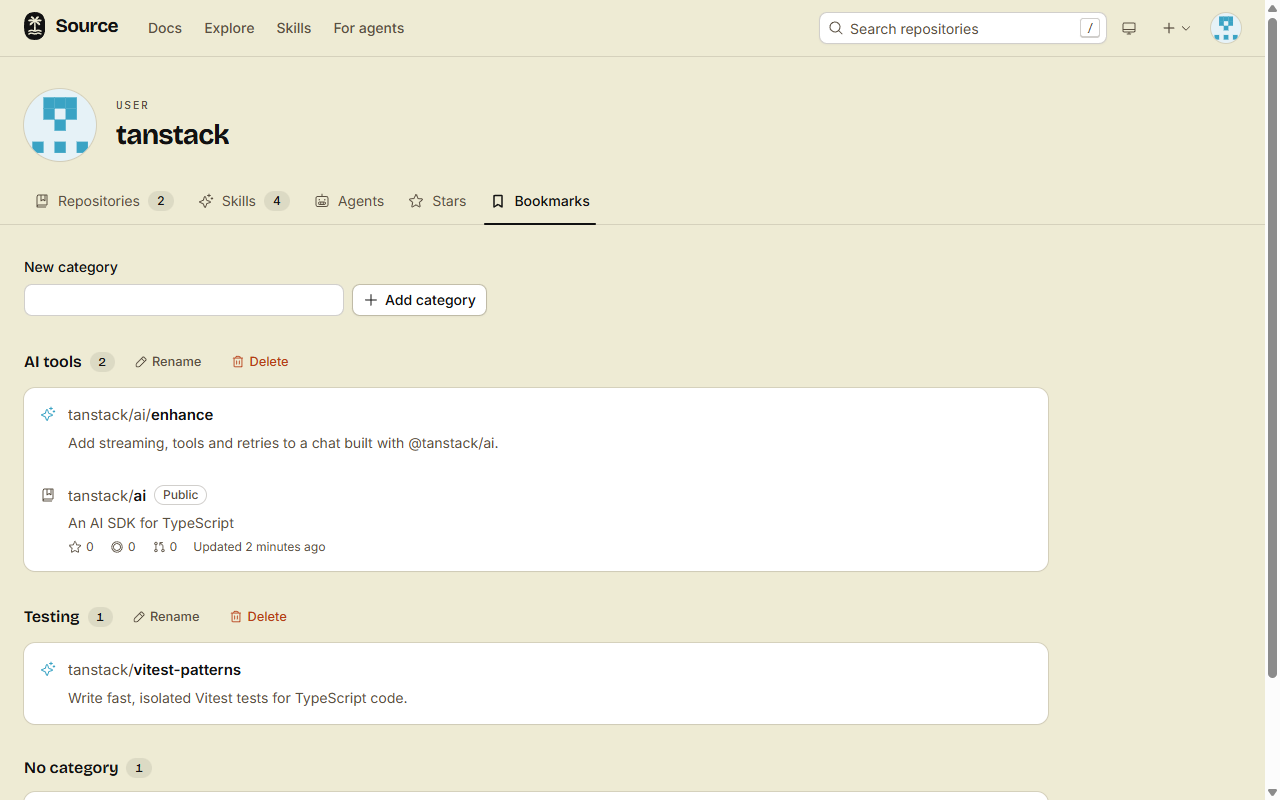
A bookmark keeps it on the Bookmarks tab of your profile, in the category that you pick.
1. Bookmark something
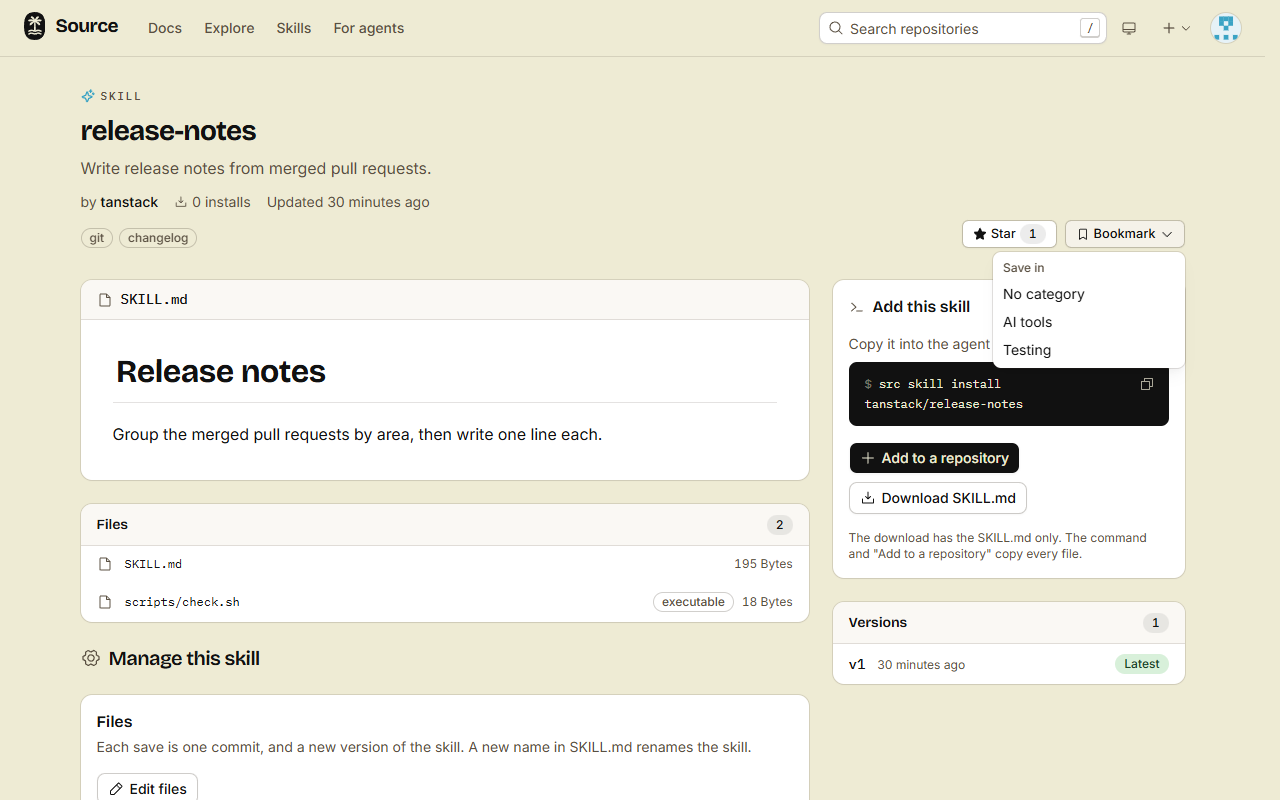
Click Bookmark at the top of a repository, an organization or a skill page.
- No categories yet: one click saves the bookmark. Click Bookmarked to remove it.
- With categories: the button opens a menu. Pick a category or No category. Pick Remove bookmark to remove it.
2. Sort your bookmarks
- Open your profile, then the Bookmarks tab.
- Under New category, type a name, then click Add category.
- To change a category, click Rename or Delete next to its name.
When you delete a category, its bookmarks stay, with no category. You can have at most 50 categories, each with a name of at most 50 characters.
Who sees your bookmarks
- Your Bookmarks tab is public, grouped by category.
- Each viewer sees only what they can read. A bookmark of a private repository never shows to a person without access.
- Bookmarks and stars are on the web only, for people. REST, MCP and
srchave no bookmark or star commands.
A star is different: it shows that you like a repository or a skill, and it counts in the rankings. Your Stars tab lists what you starred.
Done
Open the Bookmarks tab of your profile. Each bookmark shows there, in its category.