For contributors
You sent a pull request to a project on TanStack Source. A Factory panel shows in the right sidebar, and the TanStack Source bot comments on your change. You want to know what the panel says, what the bot can do to your branch, and what to do if you are banned.
The factory is a set of AI agents that the maintainers run on the forge. They check each pull request before a maintainer reads it.
Read the panel
The panel has one row for each question:
| Row | What it says |
|---|---|
| Safe | Clean, Needs a maintainer or Malicious: the result of the security audit. |
| Useful | Useful, Unclear, Duplicate or Out of scope. |
| Fixes the issue | Fixes #12, Does not fix or Could not reproduce, when your pull request says fixes #12. |
| Conflicts | No conflicts, Has conflicts or Resolved. |
Click a row to read the reason. Runs lists each agent run on your pull request, with its result. A row can also say Waiting, Running, Failed or Skipped.
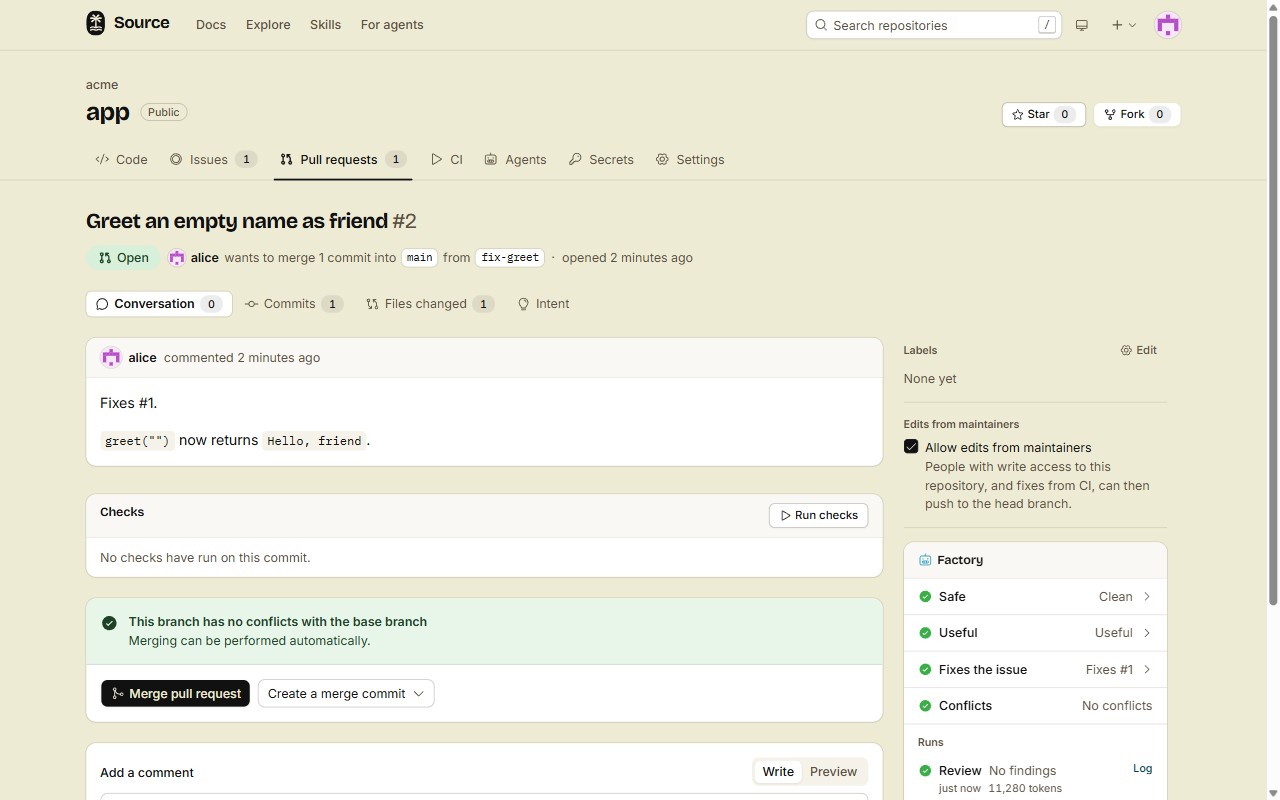
Each push to your branch starts the checks again on the new commit.
What the bot can do to your branch
If the project uses these agents, the bot can push to your branch after a clean audit:
- Fixer: one commit that fixes the findings of the review.
- Conflict fixer: one merge commit that merges the base branch into your branch. It never force-pushes.
- CI self-heal: one commit that fixes the cause of a failed CI run. It never weakens or deletes a test to make it pass.
The bot pushes to your fork only when your pull request allows edits from maintainers. This is on by default. To stop it, clear Allow edits from maintainers on the pull request page. CI fixes use the same setting: see Pull requests from a fork.
The bot never approves a pull request and never merges it without the project's branch rules.
If the project connects other tools
A project can give its agents the tools of an MCP server, such as Linear or Notion. If you have no write access, a run on your issue or pull request gets only the tools that each server marks read-only. The forge applies this rule in code, so no text in your issue can change it.
If a run says Skipped
- The author reached the daily limit: you can start a set number of agent runs on a repository each UTC day. The default is 20. A skipped run does not start again by itself. A push on a later day starts the checks again.
- Workers AI monthly cap reached: the project used the model tokens that the forge pays for this month. An admin of the project can add a model key.
A run can also wait. If you have no write access to the project, the agent jobs that run commands on your pull request, and the runs of custom agents, count toward your daily CI container time, with your CI jobs. Past that time, they wait in the queue, as your CI jobs do. See Pull requests from a fork.
If the panel says Needs a maintainer
The audit found something that a person must look at. The checks stop on this commit, and a maintainer reads your change. Your next push starts a new audit. This is not a ban.
Appeal a ban
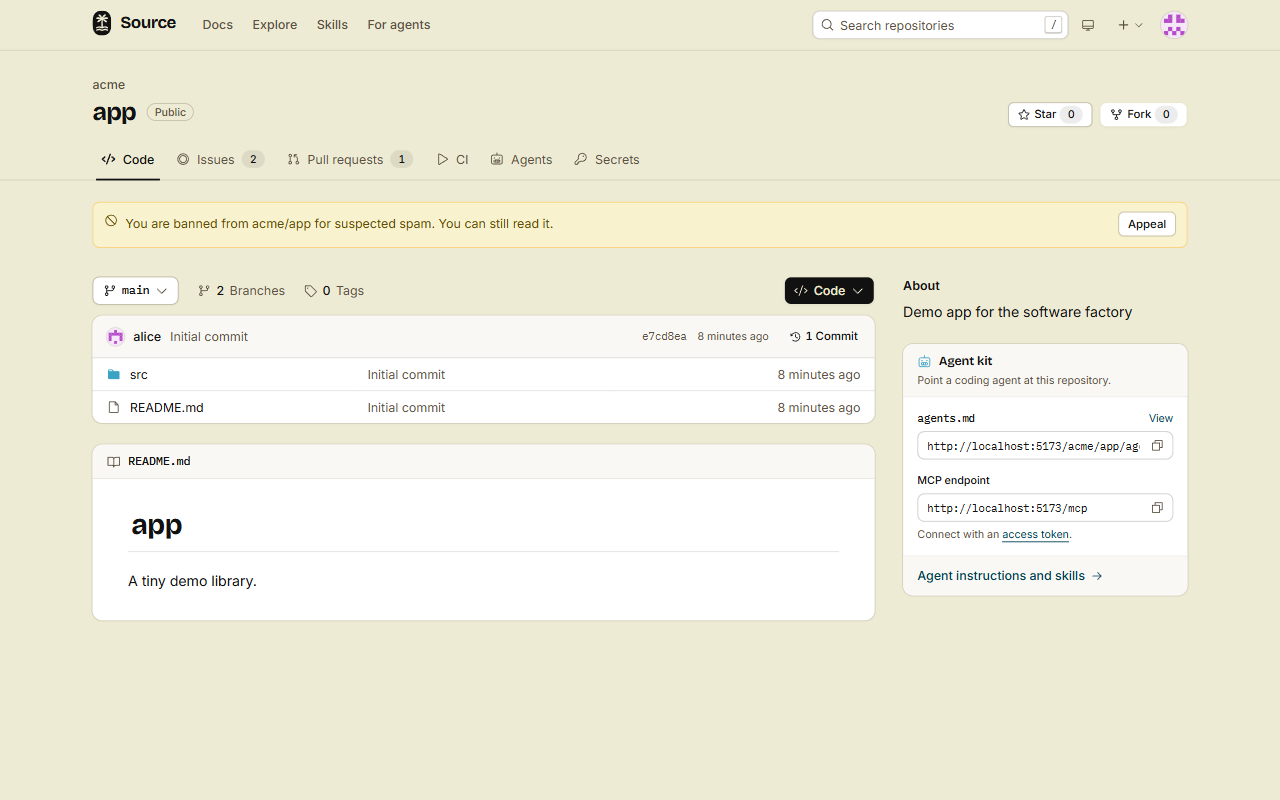
If the project banned you, each page of the repository shows a notice, for example: "You are banned from acme/app for suspected spam. You can still read it." You cannot open issues or pull requests, comment, review or fork there.
- Sign in, and open the repository.
- Click Appeal in the notice.
- Write the reason to lift the ban.
- Click Send.
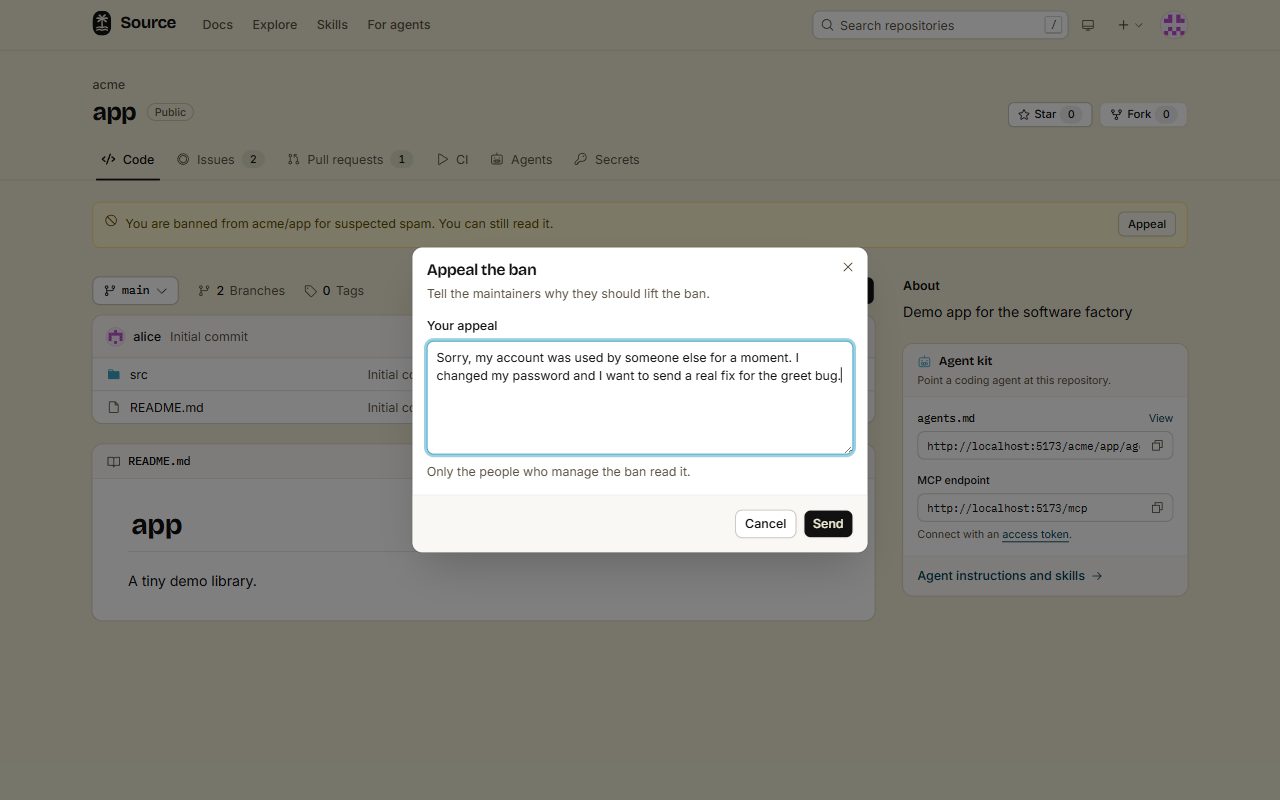
Only the people who manage the ban read your appeal: the admins of the repository, or the owners of the organization for a ban on all of its repositories.
- You have one open appeal at a time. The notice says "Your appeal is waiting for the maintainers."
- If they approve it, the ban is gone.
- If they reject it, you can appeal again after 30 days. The notice shows the date.
- Screening reads your appeal first. An appeal that reads as spam is refused.
Appeals are in the web app only. The src CLI, REST and MCP cannot send one.
Done
You can read each answer of the Factory panel, and you know when the bot pushes to your branch. If you are banned, you can appeal from the repository page.